Prakash@gmail.com
Introduction
Time Effectively When you first start freelancing, tracking time feels unnecessary. You know how long you worked — or at least you think you do. But after a few months of charging flat rates, struggling to explain invoices, or just wondering where your Tuesday went, you realize that guessing isn’t a system. It’s just hope.
Time tracking isn’t about surveillance. It’s about understanding your own working patterns and protecting the value of your effort.
Why Freelancers Lose Track of Time (More Than They Realize)
There’s a very common experience among freelancers: you sit down at 10am, open a project, handle a few emails, tweak a design, attend a quick voice call, and suddenly it’s 2pm. Four hours passed. But how much of that was actually billable?
Most people estimate poorly — not because they’re careless, but because multitasking and context-switching blur real time. Studies in productivity research consistently show that people misjudge task duration by 30–40%, and freelancers are especially prone to this because there’s no external structure keeping them accountable.
If you’re billing by the hour, that lost time is direct income you’re leaving on the table. Even if you work on fixed-rate projects, understanding where your time goes helps you price better in future.
The Basic Approach That Actually Works
Before jumping into apps and features, let’s talk about the mindset. Time tracking works when it becomes a habit, not a one-time experiment. The goal isn’t perfection — it’s consistency.
A simple approach:
- Start a timer when you begin a task
- Stop it when you switch or take a break
- Label each entry with the project and type of work
That’s really it at the core level. Everything else — reports, invoicing integration, team features — those come later. Start with the habit.
Breaking Work Into Billable and Non-Billable Categories
Not all your working hours will be charged to a client. Admin work, learning new tools, writing proposals — these are real hours but usually unbillable. Tracking them separately gives you a clearer picture of your actual effective hourly rate.
For example, if you charge ₹500/hour and work 8 hours a day, but 3 of those hours are admin and proposals, your real earning rate per working hour is lower than it looks. Knowing this helps you adjust pricing or reduce overhead tasks.
Choosing the Right Time Tracking App for Your Needs
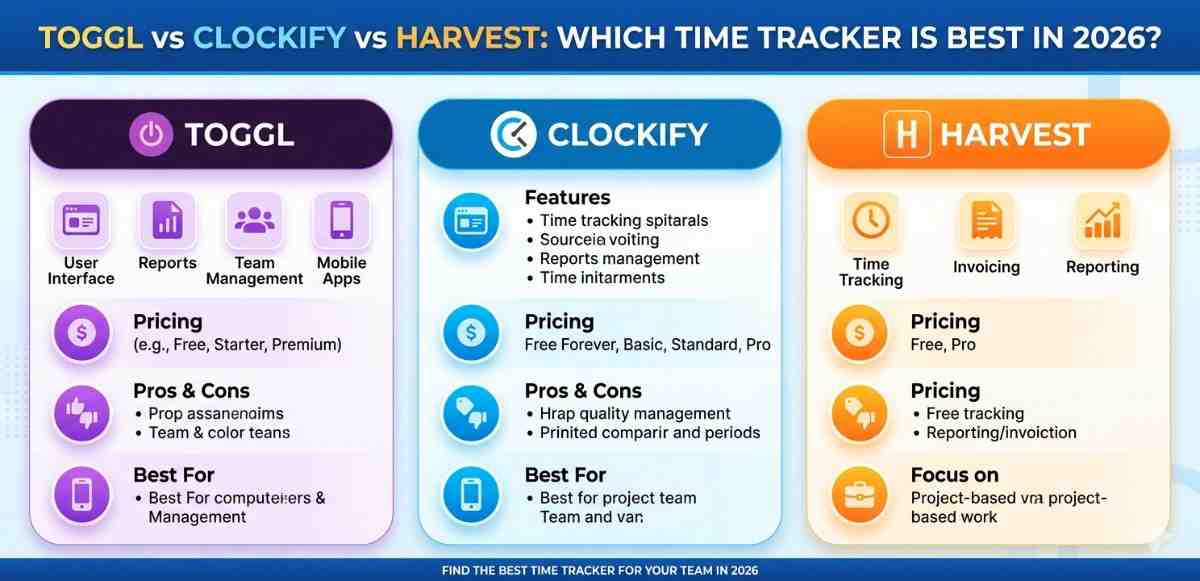
There are dozens of apps out there. Toggl Track, Clockify, Harvest, TimeCamp, Timely — the list goes on. Choosing the right one depends on how you work, not on which one has the most features.
For Freelancers Who Work Across Multiple Devices
If you work from your phone sometimes and a laptop other times, you need an app that syncs seamlessly. Toggl Track is worth looking at here. It has solid Android and desktop apps, and your time entries stay synced without you having to do anything manually. The free plan covers most solo freelancer needs.
For Freelancers Who Bill Clients Directly
If your time tracking needs to connect to invoices, Harvest is probably more suited to your workflow. It lets you turn tracked hours into invoices with minimal steps. The downside is that the free plan is quite limited — only two active projects — so you’ll likely need a paid account if you have multiple clients running simultaneously.
For Freelancers on a Tight Budget
Clockify is genuinely free for unlimited projects and users. It’s not the most polished experience, but it gets the job done. For someone just starting out, or someone who wants to build the habit without committing to a paid tool, it’s a practical starting point.
Setting Up Your App Without Overcomplicating It
Here’s where most people stumble. They open a time tracking app, get excited by all the options, and spend an hour setting up tags, workspaces, project categories, and integrations before they’ve tracked a single minute.
Keep it simple in the beginning.
Step 1: Create One Entry Per Client
Just start with client names as projects. Don’t break it into sub-tasks until you’ve built the habit over a few weeks.
Step 2: Use the Mobile App When You’re Away From Your Desk
If you’re on an Android phone and you take a call with a client, open the app and start a timer right then. A 20-minute call is easy to forget if you don’t log it immediately. Most of these apps have home screen widgets now, so starting a timer is a two-second action.
Step 3: Review Weekly, Not Daily
Daily review feels obsessive and can break the habit. A Friday afternoon review of your week takes 10 minutes and gives you useful data: which clients took the most time, which projects ran over estimate, where your non-billable hours went.
Real-Life Example: A Freelance Graphic Designer’s Workflow
Priya does branding work for small businesses. She used to estimate her hours on a notepad and invoice clients at the end of the month. Sometimes she’d forget to note a revision session, or she’d undercharge because she felt uncertain.
She switched to Toggl Track about eight months ago. Now she keeps three projects running: one per active client. Each time she opens a file or jumps on a call, she starts the timer. When she takes lunch or switches to checking Instagram, she stops it.
By the end of the month, she exports a simple report and sends it with her invoice. No disputes. No guessing. And she’s noticed something else — she now knows that revision rounds consistently take longer than first drafts, which has changed how she quotes new projects.
That’s the real value of tracking: not just billing accurately, but understanding your own work.
A Few Things to Watch Out For
Time tracking apps can become a source of stress if you’re not careful. A few things worth keeping in mind:
Don’t track every minute obsessively. If you tracked 6.5 hours and you know you worked 7, rounding up is fine. The goal is a reliable picture, not forensic accounting.
Set realistic expectations for your first month. You’ll forget to start timers. You’ll close the app mid-task. That’s okay. Just keep rebuilding the habit.
Avoid switching apps every time you read a new recommendation. Pick one app, use it for at least 60 days, and only switch if there’s a genuine problem with it.
Integrating Time Data Into Your Freelance Pricing
After a few months of consistent tracking, you’ll have something valuable: real data about your working pace. This is the point where time tracking starts paying for itself.
If you’ve been charging a flat fee for blog posts and your data shows each post takes 3.5 hours on average, you now know your effective rate. You can decide if that rate works for you or if pricing needs to change.
Many experienced freelancers use their tracked time data to renegotiate project rates, decline underpriced work, and confidently quote new clients. That confidence comes from having numbers — not just a feeling.
For more on structuring your freelance workflow around productivity and focus, you might find it useful to explore how to manage distractions as a remote worker and building a sustainable daily routine for freelancers.
Final Conclusion
Tracking your time as a freelancer isn’t a complicated process, but it does require you to be consistent and patient with yourself, especially in the early weeks. The right app matters — not the one with the most features, but the one you’ll actually use every day. Start with something simple like Clockify or Toggl Track, build the habit over a month or two, and then look at your data. You’ll almost certainly find patterns you didn’t expect. From there, smarter pricing, clearer invoicing, and a better sense of your own working pace all follow naturally. The hard part isn’t the app. It’s just deciding to start.