Prakash@gmail.com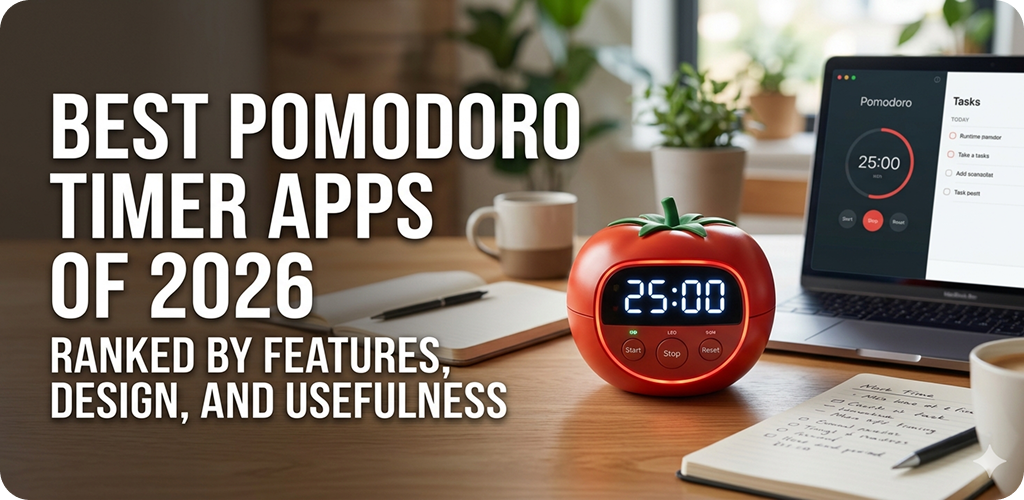
introduction
Pomodoro Timer Apps Staying focused has become genuinely hard. Notifications, open tabs, background noise — they all chip away at the time you thought you had. That’s probably why Pomodoro-style timers keep growing in popularity, even in 2026 when productivity apps seem to come out every other week.
But here’s the thing — not all Pomodoro apps are made the same. Some look great and barely function. Others are feature-heavy but feel like a chore to set up. This article ranks the best ones available right now, based on actual usability, design quality, and how well they help you stay on task in real life.
Pomodoro Timer Apps What Is the Pomodoro Technique (And Why Does It Still Work)?
The Pomodoro Technique was created by Francesco Cirillo back in the late 1980s. The idea is straightforward: you work for 25 minutes, then take a 5-minute break. After four of those cycles, you take a longer break — usually 15 to 30 minutes.
It works because it removes the pressure of “I have to finish this entire thing today.” Instead, you just have to survive the next 25 minutes. That’s manageable. Your brain handles it better.
What’s changed in 2026 is how well apps implement this. Many now offer custom interval settings, analytics dashboards, focus sounds, and even AI-based productivity nudges. The core technique hasn’t changed, but the tools around it have become surprisingly refined.
Pomodoro Timer Apps Why Use a Dedicated App Instead of Just a Phone Clock?
You could, technically, just set a timer on your phone. But a plain timer doesn’t log your sessions, it doesn’t remind you what task you were working on, and it definitely doesn’t tell you that you’ve been taking 12-minute “5-minute breaks.”
A good Pomodoro app holds you accountable in small ways. It tracks your daily focus time, nudges you when you’re overdue for a break, and some even block distracting apps during work intervals. That last feature alone has saved a lot of people from disappearing into Instagram mid-session.
Also — and this might sound minor — a well-designed app just makes the habit feel more intentional. When you tap “Start Pomodoro,” something in your brain shifts. It signals that work mode is beginning. A generic stopwatch doesn’t do that.
Pomodoro Timer Apps Best Pomodoro Timer Apps of 2026 — Ranked by Features, Design, and Usefulness
Each app below was evaluated on three things: feature depth (customization, integrations, analytics), design quality (how clean and intuitive it feels), and real-world usefulness (does it actually help you focus?). No app is perfect. The “best” one depends on what you need.
1. Forest Editor’s Pick
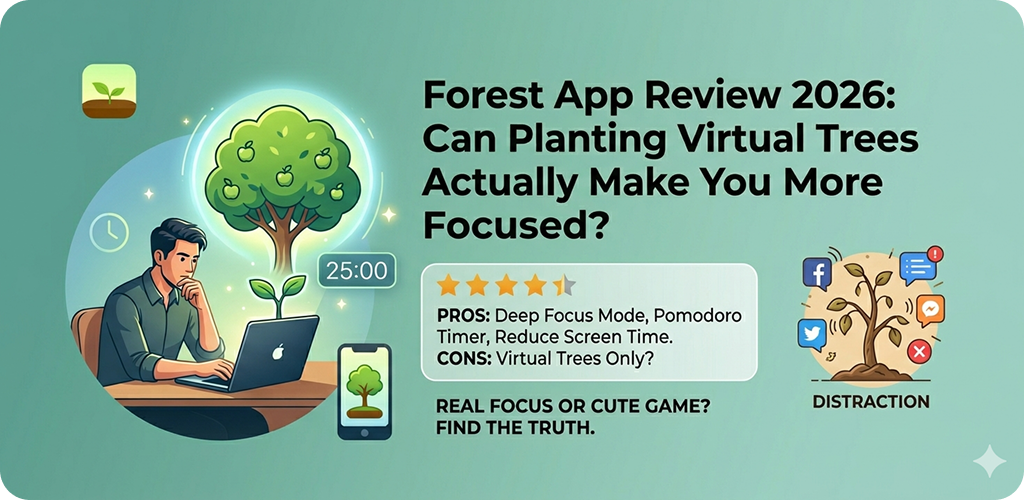
Forest remains one of the most creatively designed focus apps in 2026. The concept is simple — you plant a virtual seed when you start a session, and it grows into a tree if you don’t touch your phone during the interval. Leave the app before time is up, and your tree dies. It sounds gimmicky, but it genuinely works.
What makes Forest stand out is the emotional hook. People get weirdly attached to their virtual forests. The app also partners with real tree-planting organizations, so your focused hours can contribute to actual deforestation reversal projects. That’s a meaningful layer that most timer apps don’t have.
Design-wise, it’s calming and minimal. The soft greens, clean typography, and quiet animations make it pleasant to open. Focus sessions can be customized from 10 to 120 minutes. There’s a built-in whitelist for apps you’re allowed to use during sessions — useful if you need Spotify or a reference doc open.
The one drawback is that deeper analytics are gated behind the premium version. Free users get the core functionality, but if you want to see session trends over time, you’ll need to pay. Still, even the free version is among the best in class.
AndroidiOS Strengths: Habit formation, unique motivation system, real-world impact
2. Focus Flow — Pomodoro Timer
Focus Flow has quietly become one of the most capable Pomodoro apps for Android users who want depth without complexity. The interface is clean — not flashy, just well-organized. You can set different interval lengths for work, short breaks, and long breaks independently, which not every app lets you do.
It integrates with Google Tasks, which is a big deal if you already organize your to-do list there. When you start a Pomodoro session in Focus Flow, you can tie it to a specific task. After the session, it marks progress automatically. That kind of workflow integration is rare in free Pomodoro apps.
The ambient sound library is decent — white noise, rain, cafe backgrounds. Nothing exceptional, but functional. Where Focus Flow really earns its rank is the session history view. The daily and weekly breakdowns show exactly how your focus time is distributed, and the data is presented clearly without making you feel like you’re reading a spreadsheet.
Android Strengths: Task integration, granular controls, clear analytics
3. Be Focused Pro
Be Focused Pro is primarily known as a macOS and iOS app, but its cross-device sync makes it worth mentioning for people who switch between a phone and laptop throughout the day. The interface is textbook minimalism — you add tasks, set your timer, and go. There’s almost no learning curve.
What Be Focused Pro does better than most apps is task-level reporting. At the end of the day, you can see exactly how many Pomodoros each task took. That kind of data is surprisingly revealing. You start to realize how long things actually take versus how long you thought they would.
It lacks the gamification elements of Forest and the ambient features of some competitors. But for someone who just wants a reliable, no-nonsense Pomodoro tool that syncs across their Apple ecosystem, it’s hard to beat. The design is clean, the timer is accurate, and it doesn’t push unnecessary features.
iOSmacOS Strengths: Cross-device sync, task reporting, simplicity
4. Pomofocus Web-based
Pomofocus is a browser-based app that works on any device without installation. That alone makes it accessible. You open the site, add your tasks for the day, and the timer starts. There’s nothing to configure unless you want to.
In 2026, Pomofocus has added a few new features — optional notification sounds, a simple dark mode, and better mobile browser support. It’s still not as feature-rich as native apps, but for students or anyone working on a shared computer, it’s a practical option. The design is clean and distraction-free, which fits the whole point of the tool.
The main limitation is offline functionality. If your connection drops, the app doesn’t break completely, but you lose some of the reporting features. For heavy users who want detailed progress tracking, a native app will serve better. But as a lightweight, always-available option, Pomofocus earns its place on this list.
WebAll Devices Strengths: Zero installation, clean interface, beginner-friendly
5. Tide — Focus Timer & Sleep
Tide takes a different approach. It combines Pomodoro-style focus sessions with a curated sound library and a sleep/meditation feature set. The sounds are genuinely high quality — not the generic loops you hear in most apps. Think real-recorded rain, actual coastal waves, slow coffee shop ambiance.
Where Tide shines for focus work is the seamless pairing of sound and timer. When your session ends, the sound fades out gently. When break time is over, it eases back in. It sounds like a small detail, but it makes the transitions feel natural rather than jarring.
The visual design is beautiful — probably the best-looking Pomodoro app on this list. Soft gradients (done tastefully), smooth animations, thoughtful iconography. It targets people who find atmosphere important to their focus routine. If you’re someone who works best with a calming environment, Tide is worth trying.
AndroidiOS Strengths: Sound quality, visual design, holistic wellbeing focus
6. TickTick (with Pomodoro Mode)
TickTick is primarily a task manager, but its built-in Pomodoro mode is good enough to compete with dedicated focus apps. If you’re already using TickTick to manage your tasks, adding Pomodoro sessions to your existing workflow is effortless. You just tap a task and select “Start Pomodoro.”
The integration between task management and focus timing is probably the tightest of any app on this list. Your sessions are logged directly against tasks, and the habit tracking overlay gives you a broader picture of your productivity patterns over weeks and months. It’s more of a productivity suite than a Pomodoro tool, but that’s not a problem.
The downside is that Pomodoro functionality in TickTick requires a Premium subscription. If you’re not already paying for the app, it adds to the cost. But for users who want a single app to handle both task management and focused work sessions, TickTick at the Premium tier is genuinely worth it.
AndroidiOSWeb Strengths: Task-focus integration, habit tracking, cross-platform
Pomodoro Timer Apps How to Choose the Right Pomodoro App for You
If you struggle with phone distractions
Go with Forest. The plant-dying mechanic creates a real psychological cost to picking up your phone. That emotional friction is harder to ignore than a simple “you broke your streak” notification.
Pomodoro Timer Apps If you work across multiple apps and platforms
TickTick or Focus Flow make more sense. They integrate with your existing task lists and sync across devices, so your focus time doesn’t live in a separate silo from your actual work.
If you’re a student or just getting started
Pomofocus is the right starting point. There’s nothing to install, nothing to configure, and nothing to pay. You can test whether the Pomodoro method actually works for you before committing to any paid app.
Pomodoro Timer Apps If atmosphere matters to your focus
Tide is built specifically for that. The sound design is thoughtful, the visual experience is calming, and the Pomodoro timer feels like part of a broader focus ritual rather than just a countdown clock.
Pomodoro Timer Apps Tips to Actually Stick With the Pomodoro Method
The app matters less than the habit. Even the best Pomodoro timer won’t help if you quit after three sessions because a task felt too big or you couldn’t resist checking messages.
Start with shorter sessions. The traditional 25 minutes works well for many people, but if you’re new to structured focus work, try 15 minutes first. Build up over time. The goal is to make the habit automatic — the interval length can come later.
Keep a physical notepad nearby. When a random thought pops up mid-session — something you need to do, someone to call — write it down immediately and return to work. Don’t act on it. That practice alone removes a lot of the distraction that breaks sessions.
For more on how to pair your Pomodoro practice with broader digital wellness habits, you might find resources on managing focus and attention useful.
Pomodoro Timer Apps A Note on App Permissions and Battery Usage
Some Pomodoro apps on Android request permissions that seem unrelated to a timer — like access to usage stats or the ability to draw over other apps. These are usually for features like app-blocking during sessions or overlay timers. If privacy is a concern, check what each app asks for during installation.
Also, apps that play continuous background audio (like Tide) can drain battery faster. If you’re using a focus app during long work sessions without a charger nearby, it’s worth keeping an eye on that. Most apps let you disable sounds or limit background activity in settings.
If you’re evaluating apps for your Android device specifically, Android Authority has a regularly updated guide to Android productivity apps that covers many focus tools in more technical detail.
Final Conclusion
Pomodoro timer apps have come a long way from being simple countdown clocks. In 2026, the best ones blend thoughtful design, smart task integration, and genuine behavioral psychology to help you protect your focus time. Whether you’re a student trying to get through exam season or a professional managing a packed workload, there’s an option here that fits your style.
Forest works best if you need emotional accountability. Focus Flow is excellent for Android users who want task-level tracking. Pomofocus is the easiest entry point. TickTick wins for integration if you already live inside a task manager. And Tide is simply the most pleasant-looking app you’ll open all day.
The method isn’t magic. But used consistently — even three or four sessions a day — it shifts how you relate to your work hours. You stop running from the size of a task and start measuring your day in small, manageable wins. That’s something any app can help with, as long as you actually use it.