Prakash@gmail.com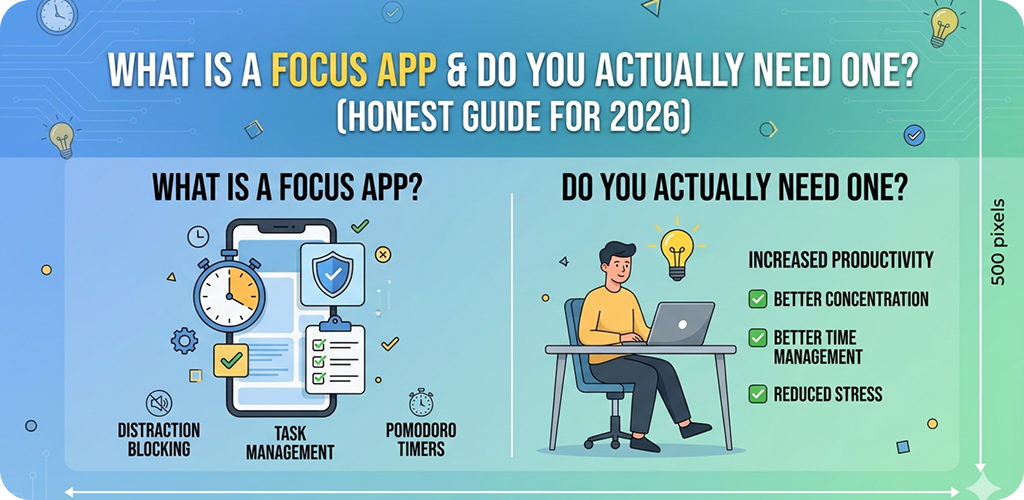
Introduction
Let me be upfront with you — most of us don’t have a productivity problem. We have a distraction problem. And it starts the moment we unlock our phones.
You open your Android to check one message. Twenty minutes later, you’ve watched three videos, scrolled through two feeds, and forgotten why you picked up the phone in the first place. Sound familiar?
That’s exactly where focus apps come in. But before you download one, it’s worth understanding what they actually do — and whether they’ll genuinely help you or just become another app you ignore.
What Is a Focus App What Is a Focus App, Really?
A focus app is a tool designed to help you control how you use your phone or computer during work or study sessions. It typically blocks distracting apps, tracks your screen time, or creates structured work intervals.
The core idea is simple: your phone is both your most useful tool and your biggest distraction. A focus app tries to fix that tension.
Some apps block social media. Others use timers. Some reward you for staying off your phone. The approach varies, but the goal is the same — keep you on task long enough to actually get something done.
What Is a Focus App How Focus Apps Work on Android
On Android phones, focus apps usually work in one of three ways.
App blockers temporarily restrict access to specific apps during a session. So if you set a 45-minute study block, Instagram, YouTube, and WhatsApp might be locked until the timer ends.
Screen time managers track which apps you use and for how long. They give you a weekly report showing where your time actually went. Most people are genuinely shocked the first time they see this data.
Pomodoro-style timers break your work into short focused chunks (usually 25 minutes) with planned breaks in between. The idea is that working in short sprints is more sustainable than trying to focus for three hours straight.
Many modern focus apps combine all three approaches in one interface.
What Is a Focus App Popular Focus App Features You’ll Actually Use
App Blocking and Scheduling
The most practical feature, honestly. You set a schedule — say, 9 AM to 12 PM on weekdays — and the app restricts access to apps you’ve chosen. Your phone becomes a work device during those hours.
Some apps on Android, like Digital Wellbeing (which is built right into most Android phones), already offer a basic version of this. You don’t always need a third-party app to start.
Focus Timers
A timer counts down while you work. When it ends, you take a break. Then you repeat. Simple, but surprisingly effective.
The psychology behind this is real. Knowing that a break is coming in 20 minutes makes it easier to resist opening Twitter right now. You tell yourself “I’ll check it during my break” — and often by then, the urge has passed.
What Is a Focus App Progress Tracking and Streaks
Some focus apps show you a streak — how many days in a row you’ve completed your focus goals. It sounds trivial, but streaks create a mild psychological commitment. Breaking a 14-day streak feels worse than it probably should, and that’s exactly the point.
Gentle Lockout vs. Hard Lockout
There’s an important difference here. Some apps ask “are you sure you want to quit?” — a gentle nudge that makes you pause. Others fully lock you out with no override option during an active session.
For beginners, gentle lockouts are better. Hard lockouts can feel frustrating and make you uninstall the app within a week.
What Is a Focus App Do You Actually Need a Focus App?
Here’s where I’ll be straight with you: not everyone does.
If you work at a desktop and your phone sits face-down on your desk most of the day, you probably don’t need a dedicated focus app right now. A simple habit — keeping your phone in another room — might be enough.
But if your phone is always in your hand, if you check it reflexively without even thinking, if you’ve sat down to study and somehow ended up watching videos an hour later — then yes, a focus app could genuinely help.
It’s not a magic solution. You still have to decide to use it, and to actually let it do its job. But it removes some of the friction that makes staying focused so hard.
Think of it like this: willpower is a limited resource. Every time you resist opening an app manually, you’re spending a bit of that resource. A focus app removes the decision entirely during work blocks. That’s its real value — not motivation, but friction reduction.
What Is a Focus App Android’s Built-In Tools vs. Third-Party Focus Apps
Before spending money on an app, try what’s already on your phone.
Android’s Digital Wellbeing settings (found under Settings > Digital Wellbeing & Parental Controls on most devices) let you set daily time limits on apps, schedule Focus Mode, and see detailed usage stats. It’s genuinely useful and completely free.
Focus Mode in Digital Wellbeing lets you pause distracting apps with a single tap. You can also schedule it to turn on automatically at certain times. For most casual users, this is enough.
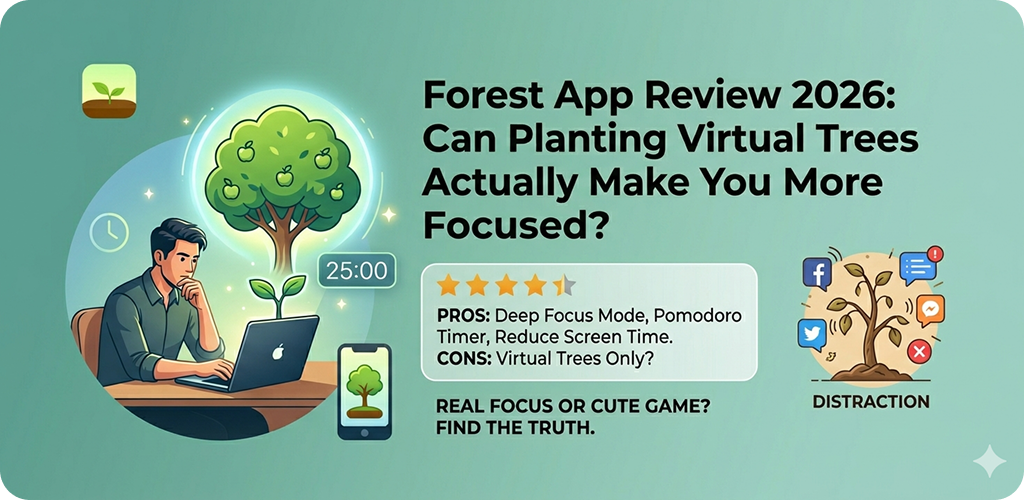
Third-party apps like Forest, Freedom, or Focusly offer more customization, better visual feedback, and sometimes a more engaging experience. But they’re additions, not replacements for building basic discipline first.
If you’ve never used any focus tool before, start with your phone’s built-in options. See how they feel for a week before exploring paid alternatives.
Who Benefits Most From Focus Apps?
Students and Learners
If you’re studying for exams or working through an online course, focus apps can make a big difference. The temptation to “just check one thing” is highest during study sessions.
A 25-minute focus block with app blocking active creates a small, manageable window. Most students find it much easier to sit through 25 distraction-free minutes than to tell themselves they’ll study “for as long as possible.”
Remote Workers
Working from home blurs the line between personal time and work time. That same phone you use for personal stuff is now your work tool. Focus apps help re-draw that line, especially during deep work hours.
Anyone Trying to Build Better Habits
Beyond work, focus apps can help you be more intentional in general. Some people use them to protect reading time, evening wind-down routines, or morning hours before checking social media.
What to Look For in a Focus App
When choosing an app, consider these things:
Ease of use. If setup takes 20 minutes, you probably won’t stick with it. The best focus apps are quick to configure and easy to start.
Flexibility. Rigid tools get abandoned. Look for apps that let you adjust session lengths, add break time, and whitelist apps you genuinely need during work (like Maps or Calculator).
No dark patterns. Some apps send excessive notifications to re-engage you — which is a bit ironic for a focus tool. Check reviews before downloading.
Battery and privacy. Apps that run continuously in the background can drain battery. Check permissions carefully. A focus app doesn’t need access to your contacts or location.
A Few Realistic Expectations
Focus apps work best when you already want to change a habit. They’re support tools, not replacements for intention.
Most people see results within the first week — even just becoming more aware of how often they reach for their phone is valuable. But like any tool, they require some consistency to be effective.
Don’t expect perfection. If you override the blocker one afternoon, that’s fine. The goal isn’t a zero-distraction life — it’s a more intentional one.
Final Conclusion
So, do you actually need a focus app in 2026? Maybe. It depends on your habits and how much your phone is getting in the way of things that matter to you.
What’s clear is that the problem focus apps address — constant digital distraction — is very real and getting harder to manage without some structure in place. Whether you start with Android’s built-in Digital Wellbeing features or try a dedicated app, the act of being intentional about your phone use is itself a meaningful step.
The best focus app is the one you’ll actually use consistently. Start simple, build the habit, and adjust from there.