Prakash@gmail.com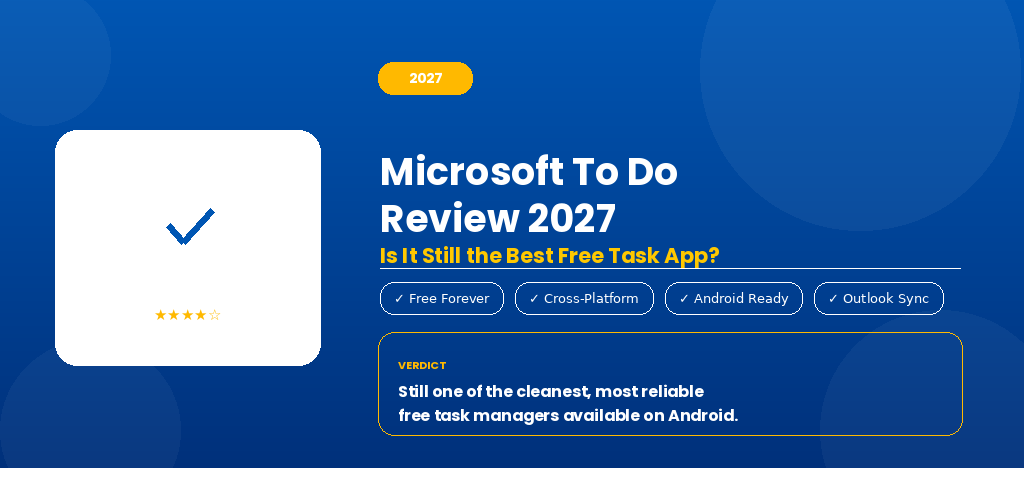
There was a time when I kept a paper notebook just to track my daily tasks. Then I switched to a handful of apps — some were too complex, some just looked good but worked poorly. Microsoft To Do was one of those apps I almost ignored. Glad I didn’t.
Fast forward to 2027, and Microsoft To Do is still sitting on my Android home screen. But the real question is — does it still deserve that spot? Or have newer apps quietly overtaken it while we weren’t paying attention?
Let me walk you through an honest, experience-based look at what this app actually offers today.
What Microsoft To Do Actually Is (And What It’s Not)
A lot of people think To Do is just a simple checklist app. That’s underselling it a bit. It’s a full task management tool, but one that’s built to feel lightweight. You’re not drowning in project boards or timeline charts the moment you open it.
What it does well is helping you manage day-to-day tasks without needing a user manual. You create a task, add details if needed, set a due date, and move on with your life. That’s the core, and Microsoft has kept that core solid.
It does NOT replace project management tools like Trello or Notion. If you’re managing a software team or running a business workflow, you’ll outgrow it quickly. But for personal task tracking, grocery lists, work to-dos, and shared family reminders? It’s still one of the cleaner options available.
The Android Experience in 2027
On Android phones — say a Samsung Galaxy or a Pixel device — the app feels responsive and well-optimized. It doesn’t drain your battery in the background, and the widget support has improved noticeably over the past year or so.
The home screen widget now lets you see your “My Day” list directly without opening the app. For someone checking off morning tasks while drinking coffee, that small thing genuinely matters.
Dark mode works properly here too. Not the half-baked dark mode where some screens stay white — the whole app respects your system theme consistently.
Syncing across devices is near-instant when you’re on Wi-Fi or 4G. I’ve tested it switching between a tablet and a phone, and tasks updated within seconds. That reliability is something you appreciate more once you’ve used apps that don’t sync properly.
Key Features That Still Hold Up
My Day — Still Surprisingly Useful
The “My Day” feature asks you each morning to decide what you actually want to focus on today. It suggests tasks from your lists based on due dates and past behavior. You pick what goes into your day.
It sounds simple. But the act of consciously selecting what you’re working on today — instead of just staring at a massive backlog — does change how you approach your morning. It’s one of those small UX decisions that has a real effect on productivity.
Subtasks and Steps
Every task can be broken into smaller steps. So if you have a task like “Prepare presentation,” you can add steps like “Write outline,” “Add slides,” “Review with team.” Each step is checkable independently.
This is more useful than it sounds. Big tasks feel less overwhelming when you can see the smaller pieces clearly laid out inside them.
Due Dates, Reminders, and Repeat Tasks
You can set a specific date, a time-based reminder, and even make a task repeat — daily, weekly, monthly, or on custom days. For recurring responsibilities like “Pay electricity bill” or “Water the plants,” this saves you from having to recreate the task every time.
On Android, the reminder notification shows up cleanly in the notification shade. You can mark it complete directly from the notification without opening the app. That’s a small convenience that adds up.
Shared Lists
You can share any list with another Microsoft account user. This is handy for things like a shared grocery list with a partner, or a project task list with a colleague. Changes made by either person show up for both.
It works reliably in 2027. I haven’t experienced tasks disappearing or sync conflicts, which used to be a problem with some older versions.
Where Microsoft To Do Still Falls Short
No app is perfect, and To Do has a few things that still feel like unfinished business.
No calendar view. You cannot see your tasks laid out on a calendar. If you have twenty tasks spread across a week, you can’t visualize them day-by-day in a calendar format within the app. You have to manually check dates. For some people, that’s a dealbreaker.
Limited formatting in notes. The notes field inside each task is plain text only. No bold, no bullets inside the note, no hyperlinks. If you’re used to apps like Notion or even Google Keep, this feels bare.
No native time tracking. If you want to log how long a task took, you’ll need a separate app for that. To Do doesn’t touch time tracking at all.
Attachments are limited. You can attach files, but there are size limitations and it doesn’t always behave smoothly depending on your Microsoft 365 setup. It’s not the most reliable feature currently.
How It Compares to Other Free Task Apps in 2027
TickTick, Todoist, and Google Tasks are the most common alternatives people compare it to.
Google Tasks is simpler — almost too simple. It integrates directly into Gmail and Google Calendar, which is a real advantage. But it lacks subtasks depth, reminders are basic, and shared lists aren’t supported.
Todoist has a more polished interface and better project organization. But the free tier in 2027 feels increasingly restricted — you’ll hit limits on filters and reminders fairly quickly.
TickTick is the strongest competitor. It offers a calendar view, habit tracking, and a built-in timer. On raw features, it edges ahead of Microsoft To Do.
But here’s where To Do wins: it’s completely free with no meaningful feature walls. If you have a Microsoft account — which most people do — you get everything. No premium upsell nudges, no badge telling you that “this feature is Pro only.” That kind of clean, unrestricted free experience is rarer than it used to be.
Integration With Microsoft Ecosystem
If you use Outlook for email, Teams for work communication, or Microsoft 365 for documents, To Do slots in naturally. Tasks flagged in Outlook automatically appear in To Do. Assigned tasks in Teams Planner can sync across as well, depending on your organization’s setup.
For Android users working in a Microsoft-heavy workplace, this integration alone makes To Do worth using. You’re not switching between five apps — things come to one place.
For people fully in the Google ecosystem though, this integration won’t mean much. If you’re on Gmail and Google Calendar exclusively, you’d probably be better served by Google Tasks or TickTick.
If you’re exploring broader Android productivity tools, it also helps to understand how notification management works on Android — because task reminders are only as useful as your notification setup allows.
Who Should Use Microsoft To Do in 2027?
Honestly, this app is a great fit for a specific type of person. If you want a free, clean, distraction-light task manager that works reliably on Android, syncs across devices without headaches, and doesn’t bury you in features you’ll never use — this is it.
Students managing assignments and deadlines, professionals handling daily work to-dos, or anyone who just wants to stop forgetting things — To Do serves all of these people well.
If you need advanced project management, habit tracking, or a calendar view, you should look elsewhere.
Also worth reading: understanding Android’s battery optimization settings can help ensure your task reminder notifications arrive on time, especially on phones with aggressive battery management like certain Xiaomi or OnePlus models.
Final Conclusion
Microsoft To Do in 2027 is not the flashiest app, and it doesn’t try to be. What it is, is dependable. The core experience — creating tasks, organizing them, getting reminded, and syncing across devices — works without drama.
It’s the kind of app that earns trust quietly, over weeks and months of daily use. Not because it wows you with features, but because it rarely lets you down.
If you’re an Android user looking for a free task manager that respects your time and doesn’t push you toward a paid upgrade every five minutes, Microsoft To Do is still a genuinely solid choice. Not perfect, but honest — and that counts for a lot.