Prakash@gmail.com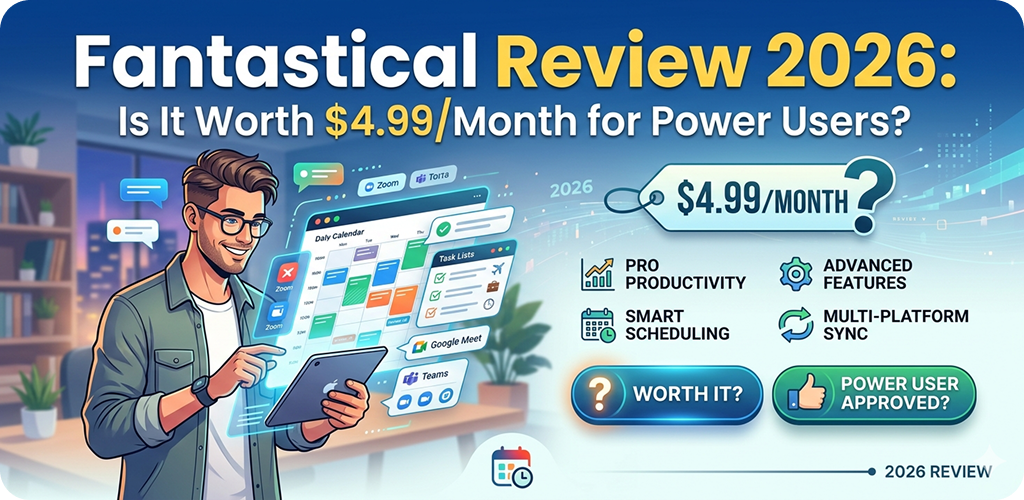
Introduction
Fantastical Review If you’ve been looking for a calendar app that actually does more than just show you what day it is, you’ve probably come across Fantastical at some point. It’s been around for years, and in 2026 it’s still one of the most talked-about productivity apps across iOS, macOS, and yes — even Android users know the name because they’re often the ones switching platforms just to get access to it.
But $4.99 a month? That’s nearly $60 a year for a calendar app. Is that actually reasonable? Let’s break it down properly.
Fantastical Review What Fantastical Actually Is (And Why People Care)
Fantastical is a calendar and task management app made by Flexibits. At its core, it replaces your default calendar — but that description honestly undersells what it does.
The thing that originally made it stand out was natural language input. You type something like “Meeting with Ravi on Friday at 3pm for 45 minutes” and it parses that into a proper event. No tapping through dropdowns, no adjusting start and end times separately. It just works.
In 2026, this feature is more refined than ever. It handles multi-language input well, recognizes recurring patterns (“every other Tuesday”), and even catches time zones when you mention them in the text.
Fantastical Review The Interface: Clean But Packed With Features
One of the first things you notice when opening Fantastical is that it doesn’t feel overwhelming, even though it’s doing a lot. The day ticker at the top, the event list below, and the month view sliding in and out — it all feels natural after about 10 minutes.
Calendar Views That Actually Make Sense
You get day, week, month, and year views, which is standard. But Fantastical’s week view is genuinely one of the best in any calendar app. Events are color-coded, overlapping events stack cleanly, and you can see tasks alongside calendar entries without it becoming a cluttered mess.
The DayTicker — that horizontal strip of days at the top — is one of those small UI decisions that makes everyday use feel smooth. You swipe through days, tap one, and the list below updates instantly.
Tasks and Reminders Are Actually Integrated
A lot of calendar apps bolt on task management as an afterthought. Fantastical does it differently. Your tasks show up in the calendar itself, on the day they’re due. You can set priorities, add notes, and mark them complete right from the main view.
It connects with Reminders on Apple devices and also supports Todoist integration. So if you’re already using a task system, it doesn’t force you to start over.
Fantastical Review What’s New in the 2026 Version
Flexibits has been steadily improving Fantastical, and the 2026 updates are worth talking about specifically.
Improved AI Scheduling Suggestions
The app now offers smarter scheduling suggestions based on your existing calendar patterns. If you consistently have free time between 2pm and 4pm on Wednesdays, it’ll suggest that window when you’re looking to add a new meeting. It’s not intrusive — it shows up as a subtle suggestion, not a pushy popup.
Fantastical Review Weather Integration That’s Actually Useful
Weather in a calendar app sounds gimmicky until you realize you’re the person who scheduled an outdoor event and forgot to check the forecast. Fantastical shows weather inline with your events. Planning a lunch walk on Thursday? You’ll see the temperature right there in the event view.
It pulls from a reliable weather source and updates daily. Works well in most major cities and reasonably well in smaller areas too.
Focus Mode Support
For Apple users specifically, Fantastical now integrates more deeply with Focus modes. When you’re in Work Focus, it can filter your calendar to show only work-related calendars. Switch to Personal, and your personal events take the front seat. This alone is a significant quality-of-life improvement if you manage separate work and personal calendars.
Fantastical Review The Subscription Model: $4.99/Month Explained
Here’s where it gets real. Fantastical uses a freemium subscription model called Fantastical Premium. The free version still works — you can add events, view your calendar, use basic natural language input. But a lot of the features described above, including weather integration, multiple calendar sets, Todoist support, and the advanced scheduling features, are behind the paywall.
What You Get for Free
- Basic event creation with natural language
- Day, week, month, year views
- Standard calendar and reminder sync
- One calendar set
What Requires a Subscription
- Multiple calendar sets (huge for work/personal separation)
- Weather in events
- Todoist, Zoom, and other app integrations
- iPhone, iPad, Mac, and Apple Watch access under one plan
- Scheduling links (for letting others book time with you)
That last feature — scheduling links — is something professionals are genuinely using. It works similarly to Calendly. You share a link, someone picks a time, it lands on your calendar. Simple, clean, no back-and-forth emails.
Fantastical Review Who Actually Benefits from Paying?
This is the honest part of the review. If you only need a basic calendar to track birthdays and doctor appointments, $4.99/month is too much. The free version, or even Apple’s default Calendar app, handles that just fine.
But if you’re managing multiple calendars — work, personal, side projects, family — and you want them to feel organized rather than chaotic, Fantastical starts making sense.
Freelancers and Remote Workers
If you’re juggling client meetings, personal appointments, and project deadlines, the ability to see everything in one organized view with tasks included is genuinely valuable. The scheduling link feature alone can save noticeable time every week.
Apple Ecosystem Users
Fantastical is built for Apple. It runs on iPhone, iPad, Mac, and Apple Watch under one subscription. If you’re using multiple Apple devices daily, you’re getting full cross-device value from that $4.99.
Android Users: Important Note
Fantastical does not have an Android app. This is a real limitation worth stating clearly. If you’re primarily an Android user, this app simply isn’t available to you in the same way. You’d need to look at alternatives like Google Calendar’s advanced features or third-party Android calendar apps that offer similar natural language input and task integration. Some Android power users who also own a Mac do use Fantastical on desktop, but the mobile experience is iOS-only.
Fantastical Review Where Fantastical Falls Short
No app is perfect. A few things worth noting:
The subscription cost adds up. If you’re already paying for multiple productivity apps, Fantastical is another line item to think about. Yearly billing ($39.99/year) is the smarter option compared to monthly if you decide to commit.
Some integrations could be deeper. The Zoom integration is useful but basic. It adds the link to the event, but that’s mostly it.
The app is also Apple-first in its design philosophy. If you’re using it on a Mac alongside Windows machines, the cross-platform story gets complicated quickly.
Comparing It Briefly to Alternatives
Apps like Structured take a more visual day-planning approach, while Calendars 5 by Readdle is a solid cheaper option. Google Calendar remains free and powerful for most people. But none of them combine natural language input, task management, multi-calendar sets, and cross-device Apple sync as smoothly as Fantastical does in 2026.
That combination is genuinely hard to match at this price point, even if $4.99/month sounds steep initially.
Final Conclusion
Fantastical in 2026 is a mature, well-built calendar app that earns its reputation. The natural language input, smart scheduling suggestions, weather integration, and seamless Apple device sync make it one of the more complete productivity tools available for iOS and macOS users.
Whether the subscription is worth it comes down to how complex your scheduling life actually is. For casual users, the free tier or a simpler app will do. For professionals, freelancers, or anyone managing multiple calendars across Apple devices, $4.99/month — or better yet, the yearly plan — is a reasonable investment.
It’s not perfect, and the Android gap is a real limitation. But for its target audience, Fantastical remains one of the best options in the category.