Prakash@gmail.com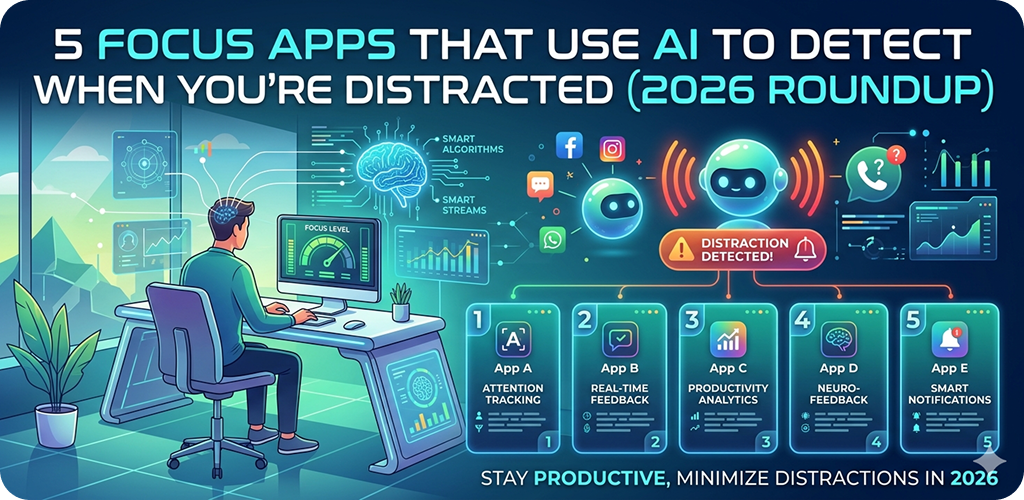
introduction
Most people have tried some version of a focus app at some point. You set a timer, block a few websites, and hope for the best. For a while, that approach worked okay. But honestly? It stopped keeping up with how we actually get distracted now.
The problem isn’t just that we open Instagram. It’s that we do it without even realizing. One moment you’re writing an email, and the next you’re three videos deep into someone’s travel reel. Classic focus blockers can’t catch that happening in real time. They just lock things down and hope you comply.
That’s exactly where AI-powered focus tools are stepping in — and they’re doing something genuinely different.
5 Focus Apps What “AI Detection” Actually Means in These Apps
Before jumping to the list, it helps to understand what’s actually going on under the hood. When an app claims to “detect distraction using AI,” that can mean a few things.
Some apps track your screen time patterns and use machine learning to notice when your app-switching behavior becomes erratic — a sign your focus has broken. Others use your phone’s front camera (with permission) to watch facial cues, like where your eyes are pointing or whether you’ve leaned back. A few monitor typing pace and scroll speed, since both tend to change when you’re mentally checked out.
None of these are perfect. But combined, they give a surprisingly accurate picture of your attention state.
5 Focus Apps The 5 Apps Worth Actually Trying in 2026
1. Flow — AI Attention Tracker for Deep Work
Flow has been around for a couple of years, but its 2025 update completely changed how it handles distraction. Instead of just running a timer, it monitors your screen interaction in real time. If you start swiping fast, switching between apps rapidly, or your session goes quiet for too long, it gently nudges you back.
What makes it feel less annoying than other apps is the nudge itself. It doesn’t blast a sound or show a big pop-up. It dims your screen slightly and shows a one-line prompt — something like “Still working on your task?” That’s it. Simple, but effective.
On Android, it works well even on mid-range phones. You don’t need the latest Snapdragon chip for it to run smoothly. It integrates with your calendar too, so it knows when you’ve scheduled a focus session vs. when you’re just browsing casually.
The free tier is usable, but the real AI features require the premium plan.
2. 5 Focus Apps Opal — Smart Blocking With Behavioral Learning
Opal started as an iOS-first app, but its Android version has caught up significantly. What separates Opal from basic blockers is that it learns from your behavior over time. It doesn’t just block apps — it notices which apps you tend to open when you’re procrastinating and starts flagging those patterns.
For example, if you always open YouTube right before a deadline, Opal picks up on that. After a few weeks, it’ll ask if you want to restrict it during similar time windows automatically. You didn’t have to set that rule. The app figured it out.
There’s something almost uncomfortable about how accurate it gets. A few users in forums have mentioned that it feels like the app “knows” them better than expected — which is both impressive and worth thinking about from a privacy standpoint. Opal does process most behavioral data on-device, which helps.
It’s a good fit for Android users on Samsung or Pixel devices running Android 13 or above.
3. 5 Focus Apps Focusly — Camera-Based Eye Tracking for Distraction Alerts
Focusly takes a more direct approach. It actually uses your phone’s front camera to track whether you’re looking at your screen. If your gaze drifts away for more than a few seconds — say, you glanced at the TV or looked down at your phone while your tablet is open — it sends a soft alert.
Now, camera-based tracking sounds invasive at first. But Focusly is upfront about the fact that no video is recorded or stored. It only processes the feed in real time, locally. Once you understand that, the feature feels less strange.
For students studying at a desk, this is surprisingly useful. You can prop your phone beside your laptop and let it monitor your attention while you work. If you start drifting, it vibrates. It’s like having a study partner who doesn’t get distracted themselves.
It does drain battery faster than most apps in this list, so keeping your phone plugged in during sessions is a good habit. Performance is better on phones with dedicated AI processing chips, like those found in newer Pixel or Galaxy S series devices.
4. 5 Focus Apps Motion — AI Scheduler That Adjusts to Your Focus State
Motion is less of a traditional focus app and more of an AI-powered daily planner that also handles distraction management. What it does differently is connect your focus state to your schedule in real time.
If it detects — through usage patterns and calendar behavior — that you’ve been unproductive for a stretch, it will actually reschedule your upcoming tasks. It moves lighter tasks earlier and bumps heavier cognitive work to a time window when you’re historically more focused.
This is a more indirect approach to the distraction problem. Rather than stopping you mid-scroll, it tries to put you in situations where distraction is less likely in the first place. That’s a different philosophy, and for some people it works much better.
The Android app had some sync issues in early 2025, but recent updates appear to have sorted most of that out. It’s best suited for people who already use a digital calendar seriously and want their focus management to tie into that.
5. 5 Focus Apps Reclaim AI — Habit Protection With Intelligent Focus Blocks
Reclaim AI is well-known for calendar automation, but its focus protection features have grown into something worth paying attention to. It creates “focus blocks” in your calendar automatically, based on when you’re least likely to have meetings and most likely to do deep work.
The AI component here monitors how often those blocks actually get used productively — based on whether you completed the tasks assigned to them. Over time, it shifts the blocks to better time windows.
It won’t detect your distraction mid-session the way Focusly or Flow will. But it prevents a lot of distraction by structuring your day before it falls apart. That proactive approach is genuinely underrated.
For Android users who work in teams and use Google Calendar, Reclaim slots in with very little friction. There’s a solid free tier with basic focus blocks, and the paid version unlocks the smarter scheduling features.
5 Focus Apps Things to Keep in Mind Before You Download Any of These
Not every app on this list will suit everyone. If you want real-time interruption when you get distracted, Flow or Focusly are the better picks. If you’d rather prevent distraction by better scheduling, Motion or Reclaim makes more sense.
Also worth checking: what permissions each app requests. Anything involving camera access or heavy background monitoring should be an app you’ve researched and trust. Read through the privacy policy — especially the section on whether data is processed on-device or sent to external servers.
For more context on how Android handles app permissions and what they actually mean for your privacy, understanding Android’s permission system is a helpful starting point.
And if you’re still building basic focus habits alongside using these tools, pairing them with techniques like time-blocking or the Pomodoro method tends to improve results noticeably. Here’s a solid breakdown of focus techniques that actually work for different attention styles — worth a read before relying entirely on any app.
5 Focus Apps How AI Focus Apps Are Different on Android vs. Other Platforms
One thing that doesn’t get discussed enough: Android gives these apps more flexibility than iOS does, but also more responsibility on your end. Background app permissions, battery optimization settings, and manufacturer-specific restrictions (especially on brands like Xiaomi, Realme, or OnePlus) can all affect how well these apps function.
If an app seems to not be working as advertised, the first thing to check is whether your phone’s battery saver is killing it in the background. Most Android OEMs have aggressive battery management, and that often prevents monitoring apps from running the way they’re designed to.
Going into your phone’s battery settings and setting the focus app to “unrestricted” background usage usually solves 80% of the performance issues people report.
Final Conclusion
AI-powered focus apps in 2026 are a genuine step up from the simple timers and blockers most of us started with. They’re not magic — you still have to show up and want to focus — but they add a layer of intelligence that traditional tools never had.
Whether it’s watching your eye movement, learning your scrolling habits, or reshaping your calendar around when you’re actually sharp, these apps are working with your behavior rather than against it. The five covered here — Flow, Opal, Focusly, Motion, and Reclaim AI — each take a slightly different angle on the same problem, which means there’s likely one that fits how your brain and routine actually work.
Try one for two weeks before judging it. That’s usually enough time for the AI features to calibrate and for you to notice a real difference.