Prakash@gmail.com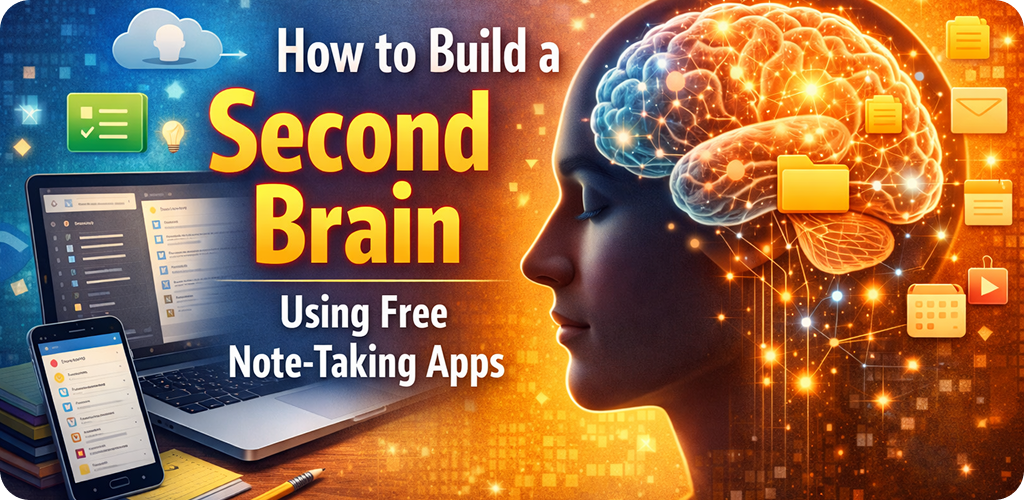
Introduction
Build a Second Brain Your brain is brilliant at thinking — not so much at remembering everything. Here’s how a few free apps on your Android phone can quietly do the storing, sorting, and connecting for you.
Build a Second Brain What Does “Second Brain” Actually Mean?
The term gets thrown around a lot online. But at its core, building a second brain simply means setting up a reliable external system that captures your thoughts, information, and ideas so that your actual brain doesn’t have to hold onto all of it.
Think of it this way — you’re in the middle of reading something interesting, your mind connects it to a project at work, and then your phone buzzes. That thought? Gone. A second brain catches it before it slips away.
Tiago Forte, who popularized this concept, described it as a methodology to save and systematically remind us of the ideas, inspirations, insights, and connections we’ve gained through our experience. But you don’t need to buy a course or a premium app to start. Free tools are more than enough, especially when you use them intentionally.
The basic idea: Stop trying to remember everything. Start trusting a system outside your head to hold the right information at the right time.
Build a Second Brain Why Free Apps Are Genuinely Enough
There’s this odd assumption that the more expensive the tool, the better the results. That’s rarely true for personal knowledge systems. Most people who build genuinely useful second brains do it with tools that cost nothing.
The best Android note-taking apps — Google Keep, Notion (free tier), Obsidian, and Standard Notes — cover virtually everything a beginner or intermediate user needs. Syncing across devices, tags, search, linking notes — it’s all there without spending a rupee.
The real bottleneck isn’t the app. It’s whether you actually use it consistently. A premium app you open twice a week will lose to a free app you open daily.
A Quick Look at the Top Free Options Build a Second Brain
Google Keep
Quick capture
Best for fast voice or text notes on the go. Great for reminders and color-coded labels.
Notion
Structured notes
Flexible databases, templates, and pages. Good for organizing projects and references.
Obsidian
Linked thinking
Uses local markdown files. Brilliant for connecting ideas with backlinks.
Standard Notes
Privacy-focused
End-to-end encrypted, minimal design. Ideal if privacy matters most to you.
Build a Second Brain The Four Pillars of a Working Second Brain
There’s a simple framework that makes this whole system functional. Forte called it CODE — Capture, Organize, Distill, Express. Let’s go through each step in a practical way, using your Android phone as the main device.
1. Capture — Don’t Let Ideas Die in Your Head
Every time something useful crosses your path — an article, a line from a podcast, a thought during a commute — you capture it immediately. On Android, this is genuinely easy. Google Keep has a widget that lets you drop a voice note or quick text in under five seconds.
The mistake most people make at this stage is being too selective. Capture first, evaluate later. If something felt worth noticing, it probably is.
💡 Android Tip
Place the Google Keep widget on your home screen. Keep your “Inbox” note pinned at the top. Anything that comes in during the day goes there — unsorted, unformatted. Just get it in.
2. Organize — Put Things Where Future-You Can Find Them
This is where people overthink it. You don’t need a complex folder structure. In fact, deeply nested folders are often the reason people abandon their systems — too much friction to file, too much friction to find.
A simple method that works well: organize by project or area of life, not by topic. So instead of a folder called “Psychology,” you’d have one called “Parenting project” or “Book I’m writing.” The difference is that topic folders grow forever, but project folders have an end point.
In Notion, you can create a simple table with columns like “Type,” “Project,” and “Status.” In Obsidian, you can use tags like #reading or #work and let the search do the heavy lifting.
3. Distill — Make Your Notes Useful, Not Just Stored
This step is what separates people who have a second brain from people who just have a big pile of notes. Distillation means going back to what you saved and pulling out the real insight.
You don’t have to do this every day. Even once a week — spending 15 minutes reviewing recent captures — makes a significant difference. Highlight the most useful sentence in a saved article. Summarize an idea in your own words at the top of a note. These small acts make retrieval ten times faster later.
On Android, Notion lets you use text highlights and callout blocks to visually separate the “gold” from the surrounding detail. Obsidian users often use a template that includes a “Key Takeaway” field at the top of every note.
4. Express — Use What You’ve Captured
A second brain that never informs your actual work or thinking isn’t doing its job. Expression means using your notes as raw material — for writing, for conversations, for decisions, for learning.
When you sit down to write a report or plan a project, open your relevant notes first. You’ll often find you’ve already done half the thinking. That’s when the system really clicks for people.
Build a Second Brain Setting This Up on Android — Step by Step
Here’s a practical flow to actually get started, using free apps, without overthinking it.
- Pick one capture app. Start with Google Keep. Install it, add the widget to your home screen, and use it as your inbox for everything that comes in.
- Set up your main workspace. Install Notion or Obsidian as your “library.” This is where you’ll move and organize notes once a week. Don’t try to organize in real-time — that’s where the system breaks down.
- Create three to five folders or notebooks. Name them after your actual ongoing projects or life areas. Work, Learning, Health, Personal — something like that. Keep it simple.
- Schedule a weekly review. Set a recurring reminder on your Android calendar — 15 to 20 minutes every Sunday evening works for most people. During this time, process your Keep inbox into your main workspace.
- Start linking notes. In Obsidian, you can type
[[note name]]to link one note to another. In Notion, use the @mention feature. These connections are what make the system feel “alive” over time.
You don’t need to do all five at once. Just start capturing, and add the rest gradually.
Build a Second Brain Common Mistakes That Kill the System Early
One of the most common issues: people try to build the perfect system before they start using it. They spend hours designing a Notion dashboard and then lose motivation before a single note gets added. Start small. Build the habit first, refine the structure later.
Another issue is capturing without reviewing. A second brain that’s full of unread notes is just a digital junk drawer. The weekly review — however brief — is what keeps the system alive.
Also, avoid switching apps every few weeks chasing something better. Pick one combination, give it 60 days, and only evaluate after that. App-hopping burns more time than it saves.
One rule to remember: Your system should reduce friction, not create it. If something feels like too much work, simplify — don’t abandon.
Build a Second Brain How This Changes the Way You Learn Over Time
Something subtle happens after you’ve used a second brain for a few months. You start noticing patterns across ideas you captured weeks or months apart. A note about habit formation connects to something you read about app design. A quote you saved randomly turns out to be relevant to a conversation you’re having today.
This cross-pollination of ideas is what makes the system genuinely valuable. It’s not just storage — it’s a thinking partner that reflects your own interests back at you in unexpected ways.
For anyone using their Android phone to learn continuously — whether that’s through articles, videos, podcasts, or books — having this kind of organized external memory makes the learning compound over time instead of evaporating.
If you’re also exploring how to manage your Android home screen for better focus, pairing that with a second brain system creates a genuinely productive setup without needing any paid tools.
Build a Second Brain Keeping It Sustainable Long-Term
The most important thing is that your second brain should feel like a relief, not another obligation. If you find yourself dreading the weekly review, it means the system has become too heavy. Cut it down.
Delete old notes that no longer feel relevant. Archive projects that are done. Keep only what’s alive and useful. A lean second brain beats a bloated one every single time.
You might also want to explore how Android widgets can help you stay focused without constant phone checking — combining a good note system with intentional phone habits makes a real difference in daily clarity.
The goal, ultimately, is to offload the mental weight of remembering so you have more cognitive space for actually thinking, creating, and doing. That’s the whole point.
Final Conclusion
Building a second brain isn’t about productivity hacking or fancy software. It’s about trusting a simple system to hold the information that matters, so your mind stays clear for the work that actually needs it.
With free apps like Google Keep, Notion, and Obsidian already on your Android phone, there’s nothing standing between you and a genuinely useful personal knowledge system. The framework is simple — capture, organize, distill, express. The tools are free. The only thing left is starting, and then keeping it simple enough to continue.
Start with one app and one habit. The rest will build itself over time.