Prakash@gmail.com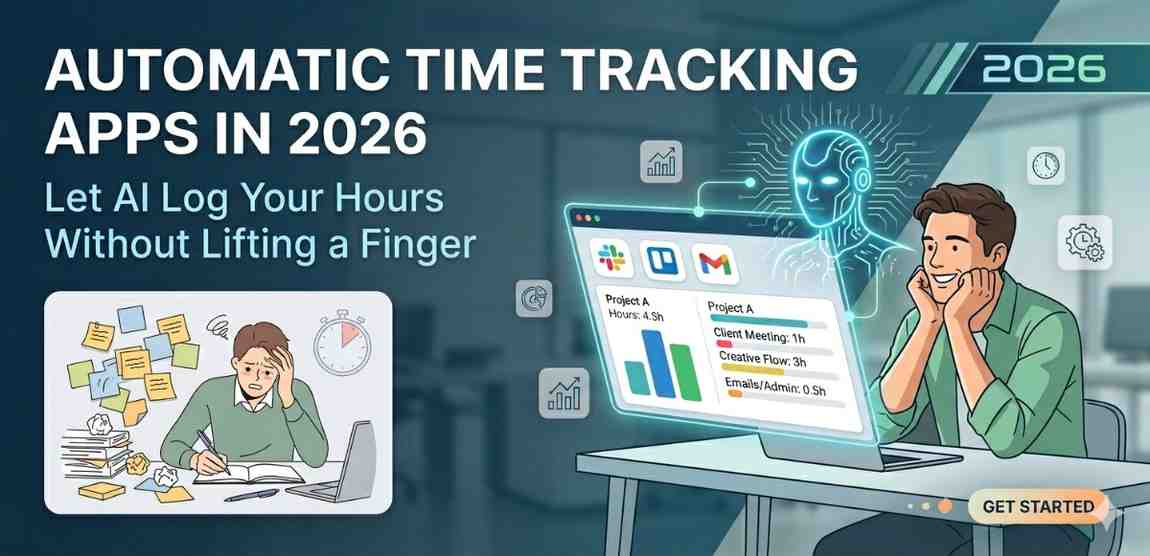
Introduction
Let’s be honest — most people are terrible at logging their own time. You finish a meeting, get pulled into a Slack thread, fix a bug, eat lunch, attend another call, and by evening you’re sitting there trying to remember what you actually did. You write something vague like “project work — 3 hours” and call it a day.
This isn’t laziness. It’s just how human memory works. We’re not built to track minutes. And yet, for freelancers, remote workers, and teams managing multiple clients, accurate time data genuinely matters.
That’s exactly where automatic time tracking apps stepped in. And in 2026, they’ve gotten quite good.
What Automatic Time Tracking Actually Means
Automatic time tracking is different from the old-school “start timer, stop timer” method. Here, the app runs quietly in the background — on your phone, laptop, or both — and figures out what you’re doing based on signals like which app is open, which website you’re on, what calendar events you have, or even your GPS location.
You don’t press anything. The app just watches, learns, and logs.
On Android phones specifically, this has become especially practical. Modern Android allows apps to detect foreground activity, read calendar data (with your permission), use location signals intelligently, and even integrate with tools like Google Workspace or Notion.
Some apps use a lightweight AI layer on top of this to categorize tasks automatically. Say you’re drafting a proposal in Google Docs for a client named “TechCo” — the app learns this pattern over time and tags that session under the TechCo project without you touching anything.
How the AI Part Actually Works
The “AI” in these apps isn’t always some massive model running in the cloud. A lot of it is simpler, pattern-based machine learning that improves the more you use the app.
Here’s a rough idea of the process:
Pattern Recognition From Your Behavior
The app notices that every Monday morning you open the same three apps in sequence: Gmail, Notion, then Zoom. It connects that to your calendar event “Weekly Team Sync.” After seeing this a few times, it auto-tags those blocks as meeting time.
App and Website Classification
This is the most common feature. Apps like Toggl Track and Timely already do this well. The tracker detects you’ve been in Android Studio for 47 minutes and logs it as “development work.” You were on YouTube for 12 minutes — that gets flagged as a break or personal time.
Location-Based Triggers
If you commute to an office two days a week, some apps detect that location and automatically start a “work” session the moment you arrive. When you leave, it stops. This works well for people with consistent routines, though it can be a little off if your “office” is also a café.
Smart Project Matching
A few apps in 2026 now let you connect your project management tools — things like Asana, Jira, or Trello. The time tracker then matches your active screen to open tasks in those tools. You open a Jira ticket, the tracker silently starts logging against that ticket. It’s not magic, but it feels close.
The Best Automatic Time Tracking Apps Worth Using in 2026
There are quite a few options right now. Here are the ones people are actually using.
Timely
Timely remains one of the most polished tools in this space. Its “Memory” feature records everything you do on your device and then lets an AI assistant organize that into a proper timesheet. You review, approve, and done.
It’s good for freelancers who bill hourly but hate admin work. The Android app is solid, though the full experience shines more on desktop.
Toggl Track with AI Suggestions
Toggl has been around forever, but their AI-powered suggestions feature (rolled out more seriously in late 2025) is genuinely helpful now. It watches your device usage and suggests time entries. You approve or edit them.
It’s not fully automatic in the way Timely is, but it’s a nice middle ground if you want some control without manual tracking.
Rize
Rize is more of a productivity analyzer than a billing tool, but its automatic tracking is accurate. It breaks your day into focus time, meetings, and breaks. For developers and writers who want to understand where their energy actually goes, Rize is oddly eye-opening.
Reclaim.ai
Reclaim is primarily a smart calendar tool, but it now includes time tracking features that integrate with what’s already on your calendar. If your schedule is structured, Reclaim can essentially reconstruct your day automatically. It connects well with Google Calendar on Android.
Things to Know Before You Start Using These Apps
Privacy Is a Real Concern
These apps see a lot. Your browsing, your apps, sometimes your location. Always check what data is stored, whether it’s on-device or cloud-synced, and if there’s an option to keep logs private. Most reputable tools are transparent about this, but it’s worth reading the privacy policy — even just skimming it.
Battery and Performance on Android
Background tracking apps can drain your battery if not optimized. On newer Android versions (14 and 15), the OS is stricter about background processes. Some apps handle this gracefully, others not so much. Watch your battery stats for the first week after installing any tracker.
It Takes Time to Get Accurate
The AI categorization is not perfect out of the box. For the first week or two, you’ll see mismatches — personal browsing tagged as work, or a study session logged as the wrong project. Most apps let you correct entries, and those corrections train the model. Stick with it for at least two weeks before judging accuracy.
Using Automatic Time Tracking With Your Android Phone
Android users have a slight advantage here because of how well these apps integrate with Google’s ecosystem. Your Google Calendar, Gmail, and Google Meet data can all feed into the tracker with the right permissions.
If you’re someone who lives by their Google Calendar, an app like Reclaim or even the built-in Google Tasks can give you a decent automatic log without adding another subscription.
For people using their Android phone as a work device, it also helps to set up work profiles — this keeps your tracking app from logging personal time accidentally. If you haven’t explored Android’s work profile feature yet, it’s genuinely useful for this kind of separation.
Also worth noting: Android widgets have improved a lot. Several time tracking apps now offer a home screen widget that shows your logged hours for the day at a glance, so even if everything is automatic, you still stay aware.
When Automatic Tracking Isn’t Enough
Automatic tools are great for routine work — development, writing, meetings, research. But they struggle with context that isn’t visible on a screen. A phone call with a client, a whiteboard session, a commute where you’re mentally planning a project — none of that gets captured automatically.
The fix most people land on is a hybrid approach. Let the app handle 80–90% of your day automatically, and manually add the few sessions that it misses. This way you’re not tracking everything by hand, but you’re also not missing important billable time.
Final Conclusion
Automatic time tracking has moved from being a productivity experiment to something genuinely practical in 2026. The apps available now — especially on Android — are smarter, less intrusive, and more accurate than they were even two years ago.
If you’re a freelancer tired of reconstructing your week on Friday afternoons, or a remote worker who just wants to understand where their hours go, giving one of these tools a proper try is worth it. Start with a free plan, let the app run for two weeks, and actually look at the data it collects. You’ll probably be surprised by what you see.
The goal isn’t to be watched every second. It’s to stop guessing — and let a quiet, capable tool do the boring logging so you can focus on the actual work.