Prakash@gmail.com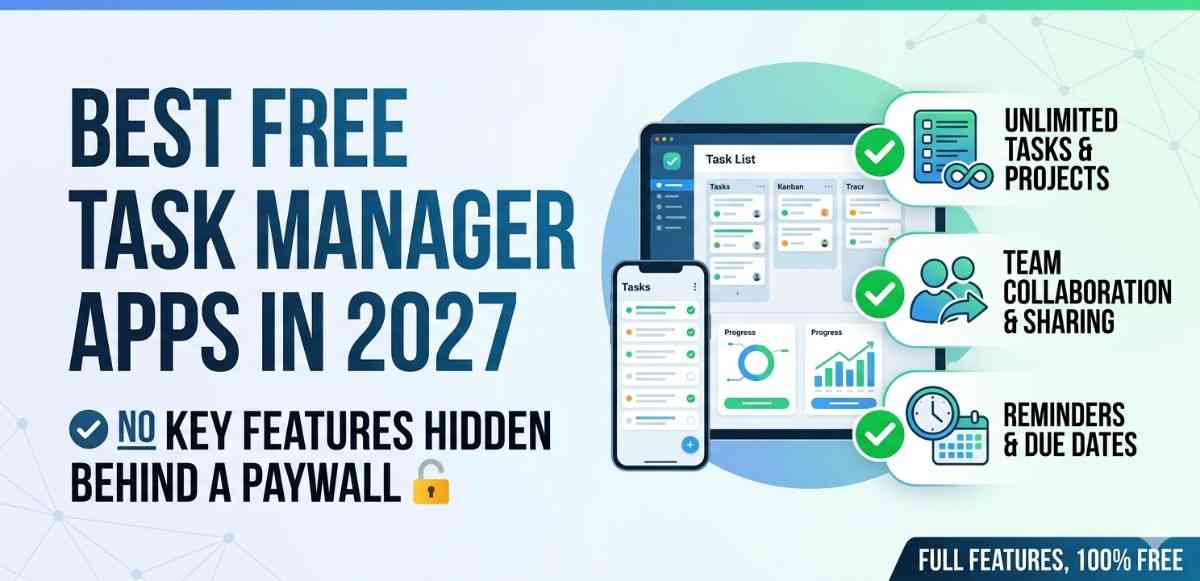
Introduction
If you’ve ever downloaded a “free” task manager app only to discover that the most basic features — like setting reminders or creating more than five tasks — require a paid subscription, you know exactly how frustrating that experience is. It’s become almost a joke at this point. Apps that advertise themselves as free but wall off everything useful the moment you try to actually use them.
This article is about the ones that are genuinely free. Not “freemium with a catch” — actually free, with real features that work without pulling out your wallet.
Why Most Free Task Managers Fall Short
Here’s something a lot of people don’t talk about: the task manager market has gotten really crowded in the last few years. Every month, there’s a new app promising to change how you organize your life. But most of them follow the same formula — give you just enough to get hooked, then lock the good stuff behind a subscription.
Things like recurring tasks, cloud sync across devices, collaboration features, or even color-coded labels. These are basic productivity tools, not premium luxuries. Yet many apps treat them like exclusive features you have to pay monthly to access.
By 2027, users are understandably tired of this model. And thankfully, some developers have pushed back by offering apps with genuinely open free tiers.
What Makes a Task Manager Actually “Free”?
Before jumping into specific apps, it’s worth defining what genuinely free actually means here.
A free task manager should let you:
- Create unlimited tasks without hitting an invisible wall
- Set reminders and due dates without subscribing
- Sync across at least two devices
- Organize tasks into lists or projects
- Use it long-term without the app degrading into constant upsell popups
If an app checks most of these boxes, it earns a spot on this list. If it technically offers a free version but disables reminders or caps you at 10 tasks, it doesn’t count — no matter how popular it is.
Task Manager TickTick — Still One of the Most Generous Free Apps
TickTick has been around for a while, and in 2027 it remains one of the most well-rounded free task managers available on Android. What makes it stand out is how much it gives away without asking for anything in return.
The free version includes list creation, due dates, reminders, a Pomodoro timer, and even calendar view. Most apps charge for at least two of those features. You can create multiple lists, set priority levels, and get basic habit tracking — all without a subscription.
What TickTick Free Doesn’t Include
To be fair, the free tier does have some limitations. You can’t create filters or use calendar integration at a deeper level. Collaboration is limited, and if you want to share a project with someone else and assign tasks, you’ll need the premium plan.
But for a single user managing daily tasks, errands, work to-dos, and personal goals? The free version handles it surprisingly well. It’s one of those apps where you might genuinely never feel the need to upgrade.
Microsoft To Do — Completely Free and Often Overlooked
A lot of Android users scroll right past Microsoft To Do, assuming it’s either bloated or locked into a Microsoft ecosystem. That’s a fair concern, but actually unwarranted.
Microsoft To Do is completely free — no premium tier, no subscription model, no feature gating. You get unlimited tasks, lists, due dates, reminders, file attachments (up to 25MB per file), and full sync across all your devices including Android, iPhone, Windows, and web.
The “My Day” feature is especially useful. Every morning, you manually pick which tasks to focus on for the day. It sounds simple, but it creates a real sense of intentionality around what you’re actually going to do versus what’s just sitting in a backlog.
Integration With Other Microsoft Tools
If you use Outlook for email, To Do connects with it directly. Tasks assigned to you in Microsoft Teams can show up in your To Do list automatically. For Android users who work in offices or companies using Microsoft 365, this is genuinely useful — and it costs nothing extra.
Tasks.org — Open Source and Completely Transparent
Not everyone wants their task data sitting on a company’s servers. If privacy matters to you, Tasks.org is worth knowing about. It’s open source, meaning the code is publicly available and can be inspected by anyone.
The app syncs with Google Tasks and CalDAV, which means it works nicely with your existing Android calendar setup. You can also use it entirely offline if you want. All the core features — recurring tasks, reminders, tags, priority levels, sub-tasks — are available without paying.
Is the Free Version Actually Usable?
Yes, and it’s more capable than most people expect. The interface isn’t the prettiest — it leans more functional than beautiful — but everything works well. There’s a small optional donation/subscription model, but it’s genuinely optional. The free version doesn’t feel crippled in any way.
For people who’ve grown skeptical of apps that quietly collect behavioral data, Tasks.org feels like a refreshing alternative.
Google Tasks — Minimal but Reliable
Google Tasks doesn’t try to be everything. It’s lean, simple, and deeply integrated into Android’s existing ecosystem. If your phone is Android, Google Tasks is already kind of built into your life — it connects with Gmail, Google Calendar, and Google Assistant without any setup.
You can create task lists, add due dates, set reminders, and create sub-tasks. That’s about it. There’s no priority system, no color coding, no Pomodoro timer. For heavy task management, it might feel too basic.
But for someone who just needs a reliable place to dump tasks and check them off? It’s completely free, it syncs instantly, and it never asks you to upgrade. Sometimes that’s all you need.
Todoist Free — Good, but Know Its Limits
Todoist is one of the most well-known names in task management, and its free tier is functional — but it’s also the most limited on this list. You get five active projects, limited integrations, and no reminders in the free tier (in some regions and versions).
It’s still worth mentioning because the core task management experience is excellent. Natural language input like “Submit report every Friday at 9am” works beautifully. The design is clean and quick to navigate.
Just be aware that if reminders are important to you — and they probably are — Todoist’s free version may push you toward upgrading faster than the others on this list.
You can read a detailed breakdown of how Android task apps handle reminder permissions and background sync on Google’s official Android support page, which is helpful before you decide which app to trust with your notifications.
How to Pick the Right One for Your Needs
There’s no single best app here — it really depends on how you work. A few questions worth asking yourself:
Do you need to collaborate? TickTick’s free version allows limited sharing. Microsoft To Do is better for team-adjacent use if you’re already in the Microsoft ecosystem.
Do you care about privacy? Tasks.org is your answer.
Do you want zero friction and deep Android integration? Google Tasks.
Do you want the most features for free? TickTick edges out the others here.
For a deeper look at how productivity apps handle background data and battery usage on Android, Google’s developer documentation explains what to look for — especially if you’re managing battery life alongside productivity.
A Note on Updates and Longevity
One thing worth thinking about in 2027: app sustainability. Free apps need to survive somehow. Open source apps like Tasks.org rely on donations. Microsoft To Do is funded by Microsoft’s broader ecosystem. TickTick and Todoist use freemium models.
Before committing to any app for long-term task management, it’s worth checking if the developer is actively maintaining it. An app that hasn’t been updated in a year is a quiet warning sign — especially on Android, where OS updates happen frequently.
For reference, checking an app’s last update date on the Play Store takes about three seconds and can save you from building your entire task system on something that’s slowly being abandoned.
Final Conclusion
Finding a task manager that’s genuinely free — not just technically free in name — takes more digging than it should. But these apps prove it’s possible. Whether you go with the feature-rich TickTick, the completely open Microsoft To Do, the privacy-focused Tasks.org, or the minimal-but-reliable Google Tasks, you don’t have to pay a monthly fee just to manage your own to-do list.
The best app is the one you’ll actually open every day. Start with whichever sounds closest to how you already think about your tasks, and adjust from there. Most of these are lightweight enough that switching doesn’t cost you much if your first pick doesn’t stick.