Prakash@gmail.com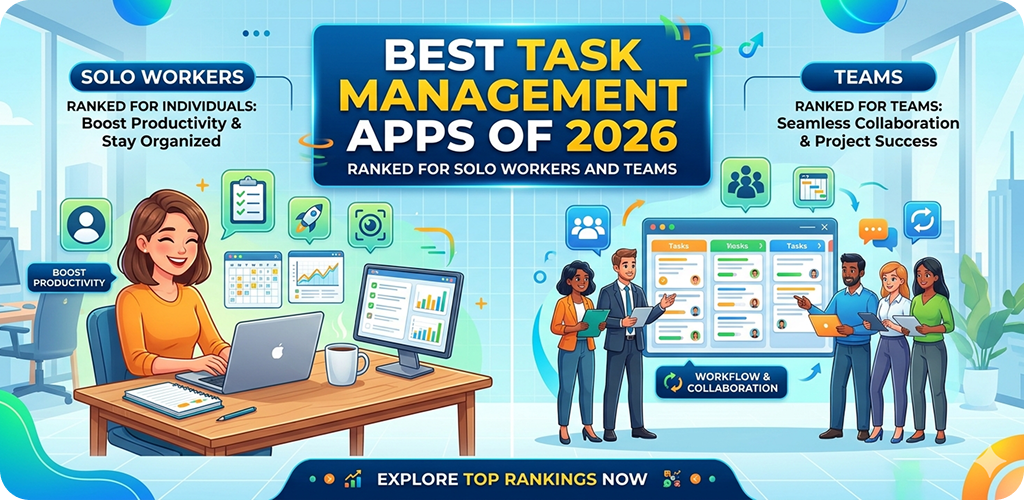
Staying organized sounds simple until your phone fills up with reminders, half-finished notes, and missed deadlines. If you’ve ever opened three different apps just to check what needs to be done today, you’re not alone.
Over the last few years, task management apps have become smarter and more flexible. In 2026, they’re not just about ticking off to-do lists—they help you plan, collaborate, and even stay focused.
In this guide, I’ll walk you through the best task management apps of 2026, based on real usage experience on Android phones. Whether you work alone or with a team, there’s something here that will actually fit your workflow.
Best Task Management Why Task Management Apps Matter More in 2026
Most people don’t struggle with laziness. They struggle with clarity.
When tasks are scattered—some in WhatsApp chats, some in your head, some in sticky notes—it becomes hard to act. A good task manager brings everything into one place.
On Android, this becomes even more useful. You can:
- Add tasks with voice input
- Get reminders directly on your lock screen
- Sync work between phone and laptop
- Share lists with others instantly
The right app doesn’t just organize tasks—it reduces mental load.
Best Task Management What Makes a Good Task Management App
Before jumping into rankings, it’s important to understand what actually makes an app useful.
1. Simple Interface
If it takes 10 seconds to add a task, you won’t use it consistently. Clean design matters.
2. Flexible Task Creation
You should be able to add due dates, priorities, notes, and subtasks easily.
3. Sync Across Devices
Most people switch between phone and desktop. Syncing must be smooth.
4. Collaboration Features
For teams, shared boards or task assignments are essential.
5. Notifications That Actually Help
Too many reminders feel annoying. Good apps balance timing and relevance.
Best Task Management Best Task Management Apps for Solo Workers
If you work alone—freelancer, student, or self-employed—you don’t need complexity. You need clarity and speed.
1. Todoist – Best Overall for Personal Productivity
Todoist still feels like the most balanced app in 2026.
It’s clean, fast, and works smoothly on Android. You can type something like “Submit assignment tomorrow at 5pm” and it understands automatically.
What stands out:
- Natural language input
- Smart daily planning view
- Offline support (very useful)
I’ve personally used it during exam prep, and it kept everything simple without overwhelming me.
If you want a deeper breakdown of productivity tools, you can check this guide:
https://example.com/best-android-productivity-apps
2. TickTick – Best for Focus and Habit Tracking
TickTick goes beyond task management. It includes:
- Built-in Pomodoro timer
- Habit tracker
- Calendar view
This is great if you often get distracted. You can set a 25-minute focus session and work directly from the app.
On Android, the widget is especially useful. You can see tasks without opening the app.
3. Microsoft To Do – Best for Simplicity
Some people just want a clean checklist. Nothing extra.
Microsoft To Do is perfect for that. It syncs well, works offline, and integrates with Outlook.
The “My Day” feature is surprisingly effective. Every morning, you pick what matters today. That’s it.
No clutter, no confusion.
Best Task Management Apps for Teams
When working with others, things change. You need visibility, communication, and structure.
4. Trello – Best Visual Task Manager
Trello uses a card and board system. Think of it like sticky notes on a digital board.
You can:
- Create columns (To Do, Doing, Done)
- Move tasks between stages
- Add comments and attachments
It’s simple enough for beginners, but powerful for teams.
I’ve used Trello for small group projects, and it really helps when everyone can see progress at a glance.
5. Asana – Best for Structured Team Workflows
Asana is more advanced than Trello. It works well for teams with multiple ongoing projects.
Key features:
- Task dependencies
- Timeline view
- Detailed project tracking
It may feel slightly heavy at first, especially on mobile. But once you get used to it, it becomes very organized.
6. ClickUp – Best All-in-One Solution
ClickUp tries to combine everything:
- Tasks
- Docs
- Chat
- Goals
For teams that want everything in one place, this works well.
On Android, the app has improved a lot compared to older versions. Still, it can feel a bit crowded if you just need simple task tracking.
Best Hybrid Apps (Solo + Team Use)
Some apps work equally well whether you’re alone or in a team.
7. Notion – Best for Custom Workspaces
Notion is not just a task manager. It’s a flexible workspace.
You can create:
- Task lists
- Notes
- Databases
- Project boards
It’s powerful, but there’s a learning curve. If you enjoy organizing things your way, you’ll love it.
For example, I’ve seen people build complete study planners inside Notion.
8. Google Tasks – Best for Android Integration
If you use Gmail and Google Calendar, this is the easiest option.
It’s basic, but it fits perfectly into the Android ecosystem.
You can add tasks directly from emails, which is very useful for daily work.
If you’re interested in Android ecosystem tools, this article might help:
https://example.com/android-apps-for-students
Choosing the Right App for Your Needs
Picking the “best” app isn’t about features. It’s about fit.
Here’s a simple way to decide:
If You Work Alone:
- Want simplicity → Microsoft To Do
- Want smart features → Todoist
- Want focus tools → TickTick
If You Work in a Team:
- Want visual boards → Trello
- Want structured projects → Asana
- Want everything in one → ClickUp
If You Like Customization:
- Go with Notion
Real-Life Android Usage Tips
No matter which app you choose, how you use it matters more than the app itself.
Keep Tasks Short
Instead of writing:
“Work on project”
Write:
“Finish slide 3 of presentation”
Clear tasks are easier to complete.
Use Widgets
Most Android apps offer widgets. Add them to your home screen.
It saves time and keeps your tasks visible.
Avoid Overloading the List
Don’t add 50 tasks at once. It creates stress.
Stick to 5–10 important tasks per day.
Review Daily
Spend 2 minutes every night:
- Check completed tasks
- Plan the next day
This small habit makes a big difference.
Common Mistakes to Avoid
Even with the best apps, people struggle because of these mistakes:
Switching Apps Too Often
You don’t need to try every new app. Pick one and stick with it.
Over-Organizing
Spending more time organizing tasks than actually doing them defeats the purpose.
Ignoring Notifications
If reminders become noise, you’ll stop paying attention. Adjust them carefully.
Final Conclusion
Task management apps in 2026 are more powerful than ever, but the goal hasn’t changed—making your life simpler.
If you’re working alone, tools like Todoist or TickTick can help you stay focused without distractions. For teams, apps like Trello and Asana bring clarity and structure to shared work.
In the end, the best app is the one you actually use every day. Start simple, build a habit, and let the app support your workflow—not control it.