Prakash@gmail.com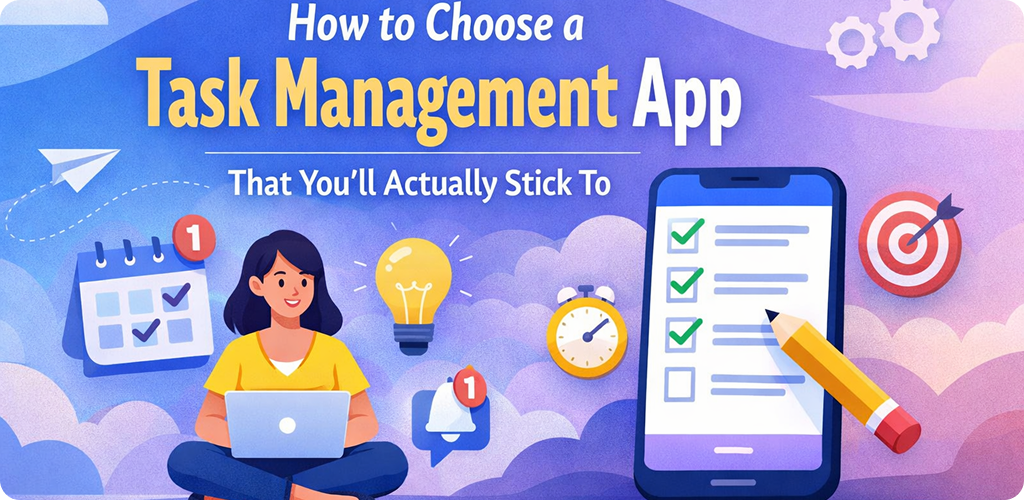
Choose a Task Management We have all been there. You download a shiny new productivity app, spend three hours setting up color-coded categories, and then… you never open it again after Tuesday. It’s a frustrating cycle. Most people think they fail at being organized, but usually, it’s just that the app they chose doesn’t actually fit how their brain works on a busy Wednesday afternoon.
Finding the right “digital home” for your to-dos isn’t about finding the most famous app. It is about finding a tool that feels like a natural extension of your Android phone, rather than another chore on your list. If you’ve struggled to stay consistent, let’s look at how to pick a system that actually sticks.
Choose a Task Management Identify Your Personal Organization Style
Before you even look at the Play Store, you need to know if you are a “Lister” or a “Visualizer.” Some people just want a clean vertical list of things to do. If that’s you, a simple text-based app is perfect. You don’t need fancy boards or timelines; they will just distract you.
Other people need to see the “big picture.” They prefer Kanban boards (think digital sticky notes you move across columns) or calendar views. If you try to force a visual brain into a simple list app, you’ll feel claustrophobic and eventually quit. Take a moment to think about how you plan a grocery trip—do you write a list, or do you picture the aisles in your head?
The Importance of the “Quick Capture” Feature
The #1 reason people stop using task apps is that it takes too much effort to put a task into the system. If you have to tap five buttons just to remind yourself to “buy milk,” you aren’t going to do it. You’ll tell yourself “I’ll remember it,” and then you won’t.
On Android, look for apps that offer a “Quick Add” widget or a persistent notification. For example, some apps let you swipe down your notification shade and type a task right there without ever fully opening the app. This is crucial. Your task manager needs to be faster than your own memory. If it isn’t, your brain will stop trusting it.
Choose a Task Management Avoiding the “Feature Overload” Trap
It is very tempting to download the app that “does everything.” You see an app with habit tracking, pomodoro timers, file attachments, and team collaboration, and you think, “Wow, I’ll be so productive!” But for beginners, this is often a trap.
Too many features create “decision fatigue.” When you open the app to check a simple task, you see ten different buttons and graphs, and suddenly you’re tweaking settings instead of actually working. If you are just starting, look for an app that feels a bit “empty” at first. You want a tool that grows with you, not one that demands you learn a 50-page manual on day one.
Choose a Task Management Syncing and Accessibility Across Devices
Your tasks don’t just happen at your desk. You might be at the park when you remember a work deadline, or at your computer when you remember you need to fix the kitchen sink. A task app you’ll stick to must sync perfectly between your Android phone and whatever computer you use.
Check if the app has a good web version or a desktop client. There is nothing more annoying than adding a task on your phone and then not seeing it on your laptop ten minutes later. Reliability is the foundation of habit. If the sync fails even once, you’ll subconsciously start worrying that your data isn’t safe, and you’ll go back to using random scraps of paper.
Choose a Task Management Integration with Your Existing Tools
We already use a dozen different apps every day. Your task manager shouldn’t be an island. It should play nice with the tools you already live in. For most Android users, this means integrating with Google Calendar or your email provider.
If your tasks show up on your calendar, you can see exactly when you have time to do them. This prevents you from over-scheduling yourself. If an app makes it hard to move information in and out, it creates friction. And friction is the absolute enemy of staying organized. Look for apps that let you “share” a text or an email directly into a new task.
Choose a Task Management The Role of Reminders and Notifications
Notifications are a double-edged sword. Too many, and you’ll start ignoring them (or turn them off in frustration). Too few, and you’ll forget to check the app entirely. The best apps allow for “location-based reminders.”
Imagine your phone buzzing to remind you to “pick up laundry” only when you actually arrive near the dry cleaners. That is a helpful notification. A notification that pings you at 10 PM while you’re watching a movie is just annoying. Choose an app that gives you granular control over how and when it talks to you. If it feels like a nag, you’ll delete it. If it feels like a helpful assistant, you’ll keep it.
Testing the “Frictionless” Experience
Once you’ve narrowed down your choices, do a “stress test.” Try to add ten tasks in sixty seconds. See how the app handles it. Does it feel laggy? Are the buttons too small for your thumbs? Does the Android widget look good on your home screen?
Since you’ll be looking at this app multiple times a day, the “vibe” matters. If you hate the font or the color scheme, you won’t want to open it. It sounds superficial, but user interface (UI) is a huge part of why habits stick. If an app is beautiful and responsive, you’ll find excuses to use it.
Don’t Be Afraid to Start Simple
If you are feeling overwhelmed by all the choices, there is no shame in starting with something basic like Google Tasks or even a simple “Notes” app. The goal isn’t to have the most complex system in the world; the goal is to stop forgetting things.
Sometimes, a “lite” version of an app is better than the “Pro” version because it keeps your mind clear. You can always migrate your tasks to a more powerful system later once the habit of “recording everything” is firmly built into your daily routine.
Final Conclusion
Choosing a task management app is a personal journey that depends more on your psychology than the app’s feature list. To find one you’ll actually stick to, prioritize speed and simplicity over complex functions. Look for “quick capture” abilities, seamless syncing between your Android device and your computer, and a visual style that you actually enjoy looking at.
Remember, the best app is the one you actually use. Don’t get caught up in “productivity porn” where you spend more time organizing your tasks than doing them. Start small, find a tool that reduces friction, and give yourself permission to switch if a specific app feels like it’s working against you rather than for you.