Prakash@gmail.com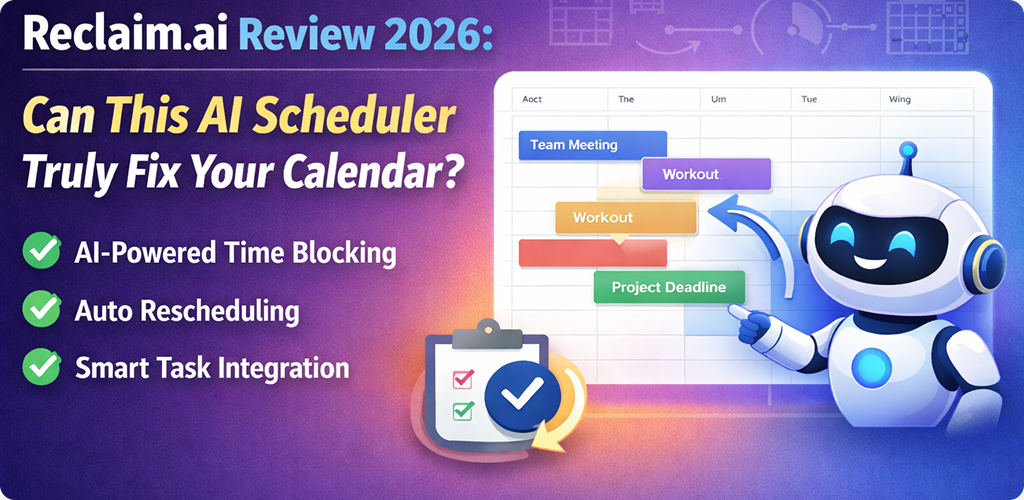
Reclaim.ai Review We have all been there. You start your Monday with a pristine, organized calendar, and by 10:00 AM, it looks like a game of Tetris gone wrong. Meetings overlap, your “deep work” block gets deleted to make room for an emergency call, and you realize you forgot to schedule time for lunch. Again.
As someone who has spent years testing Android productivity apps and workflow hacks, I’ve seen plenty of tools promise to “fix” your life. Most of them just give you more buttons to click. However, Reclaim.ai has been making waves lately by claiming it uses artificial intelligence to manage the chaos for you.
In this review, I’m breaking down what it’s actually like to use Reclaim in 2026. No tech-heavy jargon, just a practical look at whether this tool deserves a spot on your home screen or if it’s just more digital noise.
Reclaim.ai Review The Problem With Traditional Calendars
The biggest issue with standard digital calendars—like the ones we use on our Android phones or desktops—is that they are “dumb.” They are essentially just digital paper. If you put a block of time for “Report Writing” from 2:00 PM to 4:00 PM, the calendar doesn’t know if that’s a flexible task or a hard deadline.
If a colleague invites you to a meeting at 2:30 PM, the calendar usually just lets the conflict happen. You then have to manually move your task, find a new slot, and hope nothing else breaks. This constant manual shifting is what drains our mental energy.
What Reclaim.ai tries to do is act as a buffer. It treats your tasks and habits as “living” objects that can move around based on priority. It’s a shift from static scheduling to dynamic planning, which is a big deal for anyone who feels overwhelmed by their to-do list.
How Reclaim.ai Actually Works
At its core, Reclaim isn’t its own separate calendar app that replaces Google Calendar. Instead, it sits on top of it as a smart layer. You connect your existing accounts, and it begins to analyze your open gaps.
The “magic” happens through three main features: Habits, Tasks, and Buffer Time.
Managing Your Daily Habits
We all have things we want to do every day, like checking emails or exercising. Usually, we don’t put these on the calendar because they are “flexible.” Reclaim allows you to set a Habit, like “Lunch,” and tell it: “I want 45 minutes for lunch between 11:30 AM and 2:00 PM.”
The AI looks for the best spot. If your morning is clear, it might slot lunch at noon. But if a meeting runs late, Reclaim automatically moves your lunch to 1:15 PM. It keeps the slot “Free” for others to book over until it gets too late in the day, at which point it “Locks” the time so you don’t miss your meal entirely.
Turning Tasks into Time Blocks
Most of us keep a separate to-do list. The problem is that a list doesn’t account for time. Reclaim pulls your tasks (either directly or through integrations) and actually schedules them into your calendar.
If you have a task that takes four hours, Reclaim will find those four hours across your week. If a new meeting pops up, it breaks the task into smaller chunks and scatters them into the remaining gaps. It’s like having a personal assistant who is constantly recalculating your route, similar to how Google Maps works during a traffic jam.
Reclaim.ai Review The Android Experience in 2026
Since I focus on the Android ecosystem, I have to talk about how this feels on a mobile device. For a long time, AI scheduling was mostly a desktop experience. In 2026, the mobile integration has finally caught up.
The Reclaim app on Android acts as a command center. You can quickly see your “Up Next” view, which is much more helpful than a standard month-view grid. If you’re out getting coffee and realize you won’t make it back for a deep work block, you can tap a button to “Snooze” or “Reschedule” the task.
The AI then ripples that change across your entire week. You don’t have to drag and drop boxes with your thumb, which is always a frustrating experience on a small screen. It’s very much a “set it and forget it” vibe, which is exactly what a busy person needs.
[A photo of a modern Android smartphone displaying a dynamic calendar with color-coded task blocks]
Reclaim.ai Review Dealing With Meeting Overload
One of the most praised features of Reclaim is how it handles “Smart 1:1s.” If you and a coworker both use the tool, it won’t just find the first available slot. It looks for the best slot for both of you based on your preferred working hours and existing habits.
It also handles “Buffer Time” automatically. If you have back-to-back meetings, you can tell the AI to always give you a 10-minute break in between. It will automatically shift your following appointments or tasks to ensure you have time to grab water or just breathe.
This is a huge win for preventing “Zoom fatigue.” Usually, we feel obligated to accept every invite. Reclaim gives you a legitimate excuse to say, “I’m actually booked,” because it has already defended your time for you.
Reclaim.ai Review Is It Easy for Beginners to Set Up?
I’ve recommended many Android productivity tools over the years, and the biggest hurdle is always the setup. If an app takes three hours to learn, nobody will use it.
Reclaim is surprisingly simple because it uses a “wizard” style setup. It asks you: “When do you start work? When do you stop? When do you like to eat?” Once you answer those basic questions, the AI generates a baseline schedule for you.
You don’t need to know anything about “Artificial Intelligence” to make it work. You just need to know what your day should look like in an ideal world. The app handles the complex math of fitting those pieces together.
Reclaim.ai Review The Downside: When AI Gets It Wrong
No tool is perfect, and giving an AI control over your schedule can feel a bit scary. Sometimes, the AI might move a task to a time when you know you’ll be too tired to do it. For instance, it might schedule “Write Complex Budget” for Friday at 4:30 PM because that’s the only open slot left.
Technically, the AI did its job—it found an open space. But as a human, you know you’re useless on Friday afternoons. You still have to provide a bit of manual oversight. You have to tell the app which tasks are “High Priority” and which ones can be pushed to next week.
Also, if your coworkers don’t use a digital calendar or if they ignore your “Busy” blocks, the automation loses some of its power. AI can manage your time, but it can’t always manage other people’s behavior.
Reclaim.ai Review Privacy and Data Concerns
Since Reclaim needs to read your calendar to work, it sees a lot of your life. In 2026, privacy is a major concern for everyone. Reclaim uses OAuth for connections, meaning they don’t see your passwords.
They also have settings to “Sync” multiple calendars (like your personal and work ones) without showing your boss the details of your private life. It just shows up as “Busy” on your work calendar so people don’t book over your dentist appointment. This “Privacy Sync” is one of the most practical uses of the tech I’ve seen.
If you are curious about how to keep your overall device secure while using these types of cloud-based tools, take a look at our guide on Android privacy settings to ensure your data stays yours.
Final Conclusion
Reclaim.ai isn’t a magic wand that will suddenly give you a 20-hour work week. However, it is a very effective “janitor” for your schedule. It cleans up the mess of overlapping meetings and forgotten tasks that usually clutter our lives.
For a non-tech user, the real value is in the automation of the “boring stuff.” You stop playing calendar Tetris and start actually doing the work you planned to do. If you find yourself constantly moving tasks from today to tomorrow, this AI scheduler is definitely worth a try. It’s a solid example of how AI can be helpful without being intimidating.