Prakash@gmail.com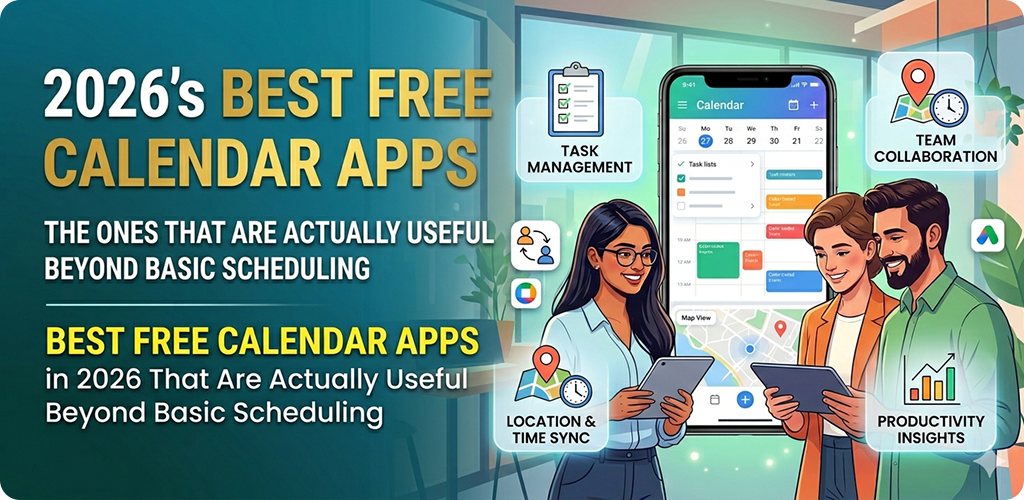
Introduction
Calendar Apps in If you’ve ever opened your phone’s default calendar app and thought, “this is fine, I guess” — you’re not alone. Most people stick with whatever came pre-installed on their Android device and never look further. But honestly, some of the free calendar apps available in 2026 have grown into surprisingly capable tools that handle a lot more than just marking birthdays and doctor appointments.
I’ve spent a fair bit of time trying different options, and what surprised me most wasn’t the fancy features — it was how much smoother day-to-day life gets when your calendar actually works with you instead of just sitting there.
Calendar Apps in Why Default Calendar Apps Often Fall Short
The stock calendar on most Android phones does the basics well enough. You can add events, set reminders, and sync with Google. But that’s kind of where it stops for many people.
What happens when you want to block time for deep work? Or see your tasks and events in the same view? Or share a planning board with your partner or team without paying for a subscription tool?
That’s where third-party calendar apps start to make a real difference. And in 2026, the free versions of several apps have gotten genuinely good — not “free trial good,” but actually free with features that matter.
Calendar Apps in Google Calendar — Still the Reliable Backbone
Let’s start with the obvious one, because it genuinely deserves its reputation. Google Calendar has evolved a lot over the years. The “Schedule” view alone is something I use almost daily — it shows upcoming events in a clean list format, which is far more readable than squinting at a cramped monthly grid.
What Makes It More Than Just Scheduling
Google Calendar now integrates with Gmail to automatically pull in flight bookings, hotel reservations, and event invites. You don’t have to do anything manually — it just shows up. For someone who travels occasionally or orders a lot online, this alone saves real time.
It also works well with Google Tasks and Google Meet, so if you’re already in the Android/Google ecosystem, everything connects without much friction. The widget options on Android are also solid — you can place a full agenda view right on your home screen.
The free version covers everything most people need. No hidden paywall for basic functionality.
Calendar Apps in Fantastical (Free Tier) — Natural Language Input Done Right
Fantastical has a paid subscription for its full feature set, but the free tier is surprisingly functional for Android users who want a smarter way to add events.
The Natural Language Feature
The standout thing here is how you create events. Instead of tapping through fields, you just type something like “Dentist appointment Friday at 11am near downtown” — and it fills everything in correctly. It sounds like a small thing, but when you’re adding events on the go with one thumb, it genuinely speeds things up.
The free version limits some calendar set management features, but for personal use and basic scheduling with smarter input, it holds up well.
Calendar Apps in Any.do Calendar — For People Who Mix Tasks and Time Blocking
Any.do is primarily a task manager, but its calendar integration makes it worth mentioning here specifically because of how it handles the relationship between tasks and time.
Combining To-Do Lists With Your Calendar
A lot of people keep a separate to-do list app and a separate calendar app — and then spend mental energy bridging the two. Any.do lets you see both in one place. You can drag a task onto a time slot and essentially schedule when you’ll do it, not just what you need to do.
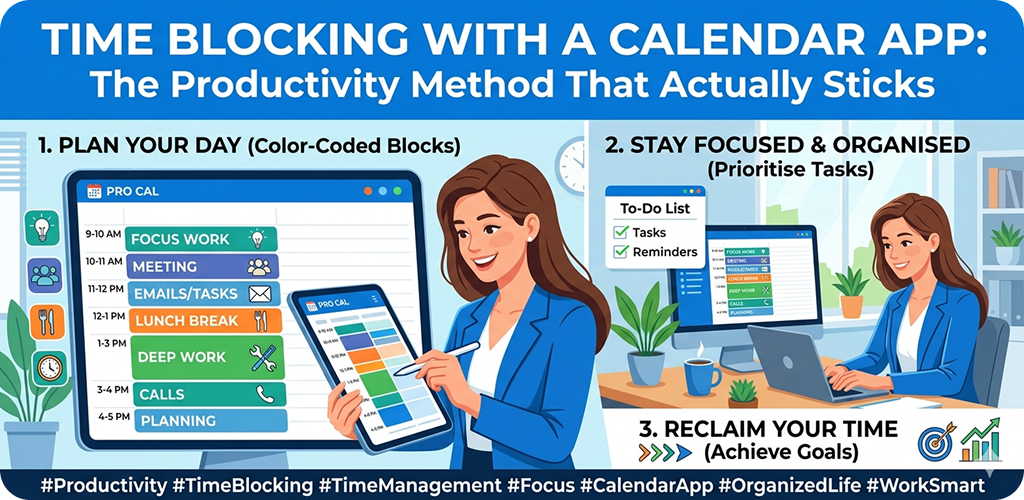
This approach is sometimes called time blocking, and while plenty of premium apps charge for it, Any.do offers a workable version for free.
If you’re someone who always has a running list of things to do but struggles to actually plan when to do them, this app might click for you in a way that a standard calendar won’t.
Calendar Apps in Samsung Calendar — Underrated for Galaxy Users
If you’re on a Samsung Galaxy device, the built-in Samsung Calendar doesn’t get enough credit. It syncs with Google Calendar, supports multiple accounts, and has a clean interface that Samsung has quietly improved over the years.
The Task Integration with Samsung Reminder
What sets it apart slightly is how naturally it connects to Samsung Reminder and Bixby Routines. For example, you can set a location-based reminder that ties into a calendar event — like a reminder that fires when you leave work, connected to a “pick up groceries” event you’d added earlier.
It’s not for everyone, especially if you’re not on a Samsung device. But for Galaxy users who want tight hardware-software integration without installing anything extra, it’s worth a second look.
Calendar Apps in Proton Calendar — If Privacy Matters to You
Not everyone wants Google reading through their calendar data to serve better ads. Proton Calendar, from the folks behind ProtonMail, offers end-to-end encrypted calendar entries. That means even Proton can’t read your event details.
Free and Privacy-Respecting
The free tier allows one calendar with reasonable storage. The interface is clean and not overcrowded with features. It won’t replace Google Calendar for someone who needs deep integration with other apps — but for storing sensitive appointments (medical, legal, personal), it’s a genuinely useful option.
For users who’ve started paying more attention to their digital privacy, Proton Calendar is one of the few free options that takes it seriously at the infrastructure level.
Calendar Apps in Notion Calendar — For People Already Living in Notion
Notion rolled out its own calendar app, and if you already use Notion for notes, projects, or personal planning, this one integrates cleanly with your existing workspace.
How It Differs From Standard Calendar Apps
The main advantage is that you can link calendar events directly to Notion pages. So an “Interview prep” event can link directly to your notes doc with all your research. A “Project deadline” block can open the Notion page where all the work actually lives.
For students, freelancers, or anyone who uses Notion heavily, this removes a lot of switching between apps. The free plan supports Google Calendar sync and basic Notion integration, which is enough for most personal use cases.
Structured — Visual Planning That Actually Works
Structured is a newer option that’s gained a lot of attention for its visual daily planning layout. Instead of a traditional calendar grid, it shows your day as a timeline — a visual block schedule that makes it easy to see where your time is actually going.
Why Visual Scheduling Helps Some People
Some people are just wired to plan better when they can see time as a physical thing rather than a list. Structured leans into this. You drag blocks around, resize them, and build a visual plan for your day.
The free version covers daily planning well. It’s not a full-featured multi-month calendar, but for daily structure, it’s one of the better free tools available right now.
If you’ve ever tried time blocking as a productivity method and struggled to make it stick with a regular calendar app, Structured is worth trying.
How to Choose the Right One for Your Situation
There’s no single best calendar app — that answer depends entirely on how you use your time.
If you’re deep in Google’s ecosystem, stick with Google Calendar and actually learn its features. If you’re a task-driven person who struggles with scheduling, look at Any.do. If privacy is a concern, Proton Calendar is worth the switch. And if you live in Notion, the Notion Calendar is a natural extension.
The good news is that all of these have meaningful free versions in 2026. You don’t need to pay to find something that works better than your default.
One practical tip: install one new app, use it for two weeks, and see if it changes how you plan. Don’t switch three apps at once — you’ll never know which one actually helped.
Final Conclusion
Calendar apps have come a long way from just storing dates. The best free options in 2026 do things like smart event parsing, task-time integration, privacy protection, and visual daily planning — features that were either paid-only or non-existent a few years ago.
Whether you’re a student managing coursework, someone juggling work and personal life, or just trying to be a little more organized, there’s likely a free calendar app in this list that fits how your mind works. The key is to actually give one a proper try rather than defaulting to whatever’s already on your phone.
Your time is worth organizing well — and fortunately, you don’t have to pay to do it better.