Prakash@gmail.com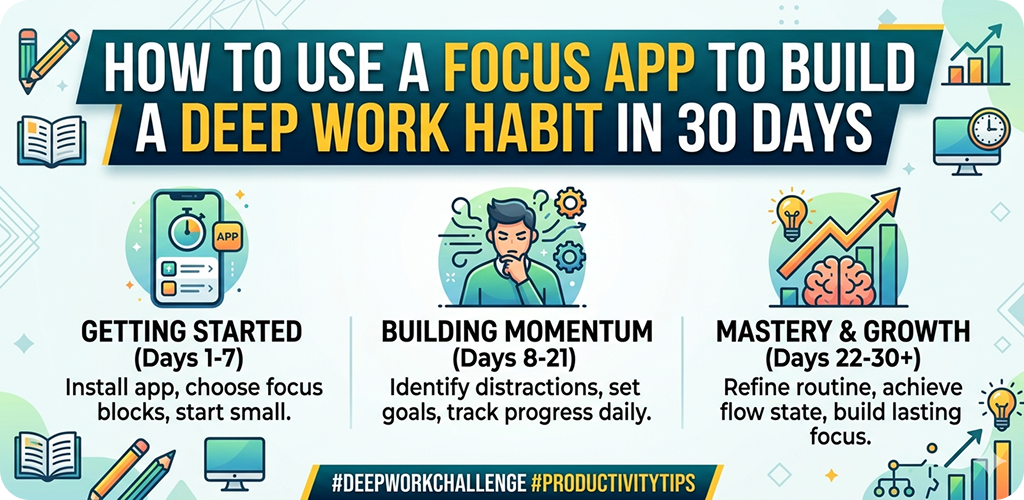
Introduction
Use a Focus App Let’s be honest. Sitting down to work and actually staying there — fully present, not checking notifications — is harder than it sounds. Most of us open our phones to do one thing and somehow end up scrolling for 20 minutes. It happens to almost everyone.
The problem isn’t laziness or weak willpower. The real issue is that our phones and apps are literally designed to pull attention away from us. Every ping, badge, and banner is competing for your brain’s resources. Over time, this constant switching damages your ability to focus deeply on anything for a sustained period.
That’s where a focus app comes in. Not as a magic fix, but as a structured tool that helps you retrain your brain, one session at a time.
Use a Focus App What a Focus App Actually Does (And What It Doesn’t)
A lot of people download a focus app expecting it to do the work for them. That’s a misunderstanding worth clearing up early.
A focus app doesn’t force you to concentrate. What it does is create the right conditions for concentration — blocking distractions, setting time boundaries, tracking your sessions, and sometimes giving you a gentle visual or audio cue to stay on task.
Think of it like a gym timer. The timer doesn’t make your muscles stronger. But it keeps you honest about how long you’re actually working versus how long you think you’re working.
On Android, several well-regarded apps serve this purpose — apps like Forest, Focus To-Do, or Digital Wellbeing’s built-in focus mode. Each one works a bit differently, but the core function is the same: help you create protected blocks of uninterrupted time.
Use a Focus App Understanding Deep Work Before You Try to Build It
Before jumping into a 30-day plan, it’s worth understanding what “deep work” actually means in practice.
Deep work is simply the ability to focus without distraction on a cognitively demanding task. Writing a report, learning to code, studying for an exam, designing something — these are tasks that require real mental energy. You can’t do them well while also half-watching a video or responding to messages.
Shallow work, by contrast, is things like answering routine emails, scrolling social media, or filling out simple forms. These feel productive but don’t require much brainpower.
The goal of a 30-day focus habit isn’t to work more hours. It’s to get better at protecting the hours that actually matter.
Use a Focus App Setting Up Your Focus App the Right Way on Android
Step 1: Choose One App and Stick With It
This part sounds simple but people mess it up constantly. They download three or four apps, try each one for two days, and then give up because “none of them work.” Pick one. Give it three weeks minimum before judging it.
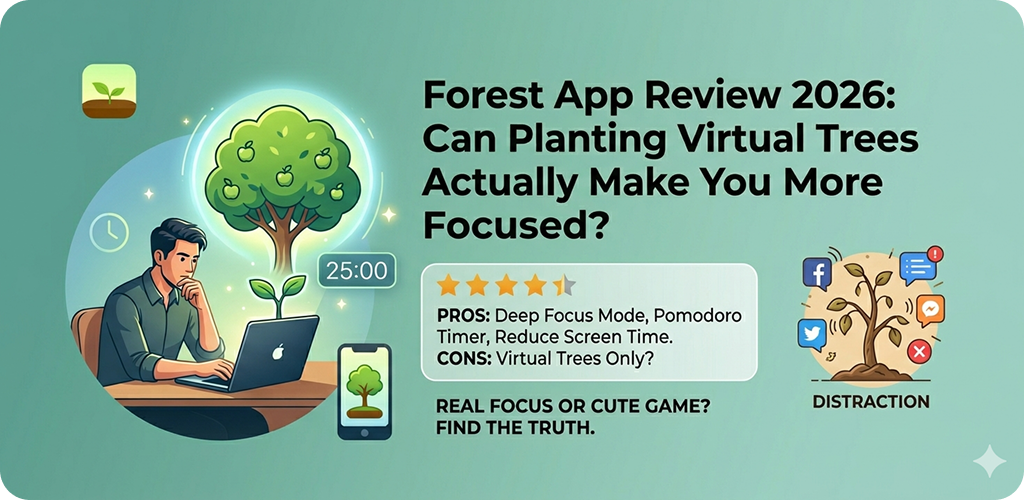
For beginners, Forest is a good starting point. It uses a visual metaphor — you plant a virtual tree that grows while you focus, and dies if you leave the app. It sounds simple because it is. And that simplicity makes it easy to actually use daily.
Step 2: Configure Your Notification Settings First
Before running a single focus session, go into your Android settings and turn off non-essential notifications. You can do this under Settings → Notifications → App Notifications. Sort by “Most Recent” and look at what’s been pinging you.
You don’t need to delete apps. Just mute their badges and sounds. If something genuinely urgent happens, people will call you.
Step 3: Set Realistic Session Lengths
This is where most people get overambitious. They set a 90-minute focus block on day one and bail out after 15 minutes, then feel like failures.
Start with 25 minutes. That’s the classic Pomodoro length and it exists for a good reason — it’s long enough to actually get into a task, but short enough that it doesn’t feel like a punishment.
After 25 minutes, take a 5-minute break. Walk around. Don’t scroll your phone. Then go back in.
Use a Focus App The 30-Day Plan: Week by Week
Week 1 — Building the Basic Habit (Days 1–7)
Your only goal this week is consistency. Two focused sessions per day, 25 minutes each. That’s it. Don’t try to do more.
Use your focus app to start each session. If you’re using Forest, plant a tree before every session. If you’re using Focus To-Do, create a task and set a timer. The app should signal the start and end of your focused time — that ritual matters more than you’d think.
At the end of each day, open the app and check how many sessions you completed. Most focus apps track this. Seeing even two green checkmarks at the end of the day feels surprisingly satisfying.
Week 2 — Increasing Session Depth (Days 8–14)
By now, 25-minute sessions should feel manageable. Time to stretch slightly. Move to 30–35 minute sessions.
Also start paying attention to when you focus best. Some people are sharpest in the early morning before the house gets busy. Others hit a flow state around 10 PM. Your focus app’s session history will show you patterns if you look.
This week, also try turning on Android’s built-in Do Not Disturb mode during your sessions. You can schedule it to activate automatically, which removes one more thing you have to think about manually.
Week 3 — Protecting Your Focus Time (Days 15–21)
This is usually where it gets harder, not easier. Novelty wears off. The streak isn’t new anymore. Life interruptions happen.
This week, the focus is on defense. Tell the people around you — family, roommates, colleagues — that you have protected work blocks. It might feel awkward the first time. Do it anyway.
Also, consider pairing your focus sessions with a specific physical location or setup. Always sitting at the same desk, using the same background music (if any), keeping your phone face-down. The brain starts to associate that environment with focus mode, which makes it easier to slip in.
If you’re a student or someone who frequently reads long material, you might also find it useful to use a reading tracker app alongside your focus app to keep your study habits organized across subjects.
Week 4 — Use a Focus App Locking In the Habit (Days 22–30)
By now, focused sessions should feel like a normal part of your day rather than an achievement. That’s the goal.
This final week, try one longer session — 50 minutes — once a day. Keep shorter sessions for everything else. The 50-minute block will feel different. You’ll likely hit a moment around minute 30 where your brain wants to quit. Push through it calmly, and the next 20 minutes often become your most productive of the day.
Also revisit your app’s data this week. Look at your total focused hours over the 30 days. Most people are genuinely surprised by how much they’ve built up.
Use a Focus App Common Mistakes That Derail the Habit
Using the break time to scroll. This is probably the most common mistake. Your brain needs rest during breaks, not more stimulation. Stand up, stretch, drink water. Scrolling keeps your brain in a reactive state.
Switching apps mid-plan. If Forest isn’t “clicking,” it’s tempting to try something else. Resist this for at least two full weeks. The discomfort usually isn’t the app — it’s just the unfamiliarity of focused work.
Skipping weekends. The habit only sticks if it runs through the whole week, not just workdays. Even one 25-minute session on Saturday keeps the streak alive and signals to your brain that this is a daily practice.
Use a Focus App How to Keep It Going After Day 30
Thirty days gets you a habit. What sustains it is making the focused sessions serve something you actually care about.
Connect your focus blocks to specific goals. Not vague goals like “be more productive,” but concrete ones — finish the first chapter of that course, complete the design draft, study three chapters before the exam.
If you manage a team or collaborate with others, it’s worth knowing that Android for Enterprise includes tools that help teams set shared focus-friendly communication norms, which can support individual habits when your work environment reinforces them.
Also don’t stop using the app just because the habit feels established. The app keeps you accountable on the days when motivation is low — which is exactly when it matters most.
Final Conclusion
Building a deep work habit using a focus app isn’t about perfect discipline or exotic productivity systems. It’s really just about showing up consistently, protecting your attention, and letting the small sessions compound over 30 days.
The focus app is your structure. But you’re the one who decides to use it each day. Start small, track honestly, adjust as needed, and by the end of the month you’ll have something real — not just a downloaded app sitting unused on your home screen, but an actual working habit that makes your time count.